Overview

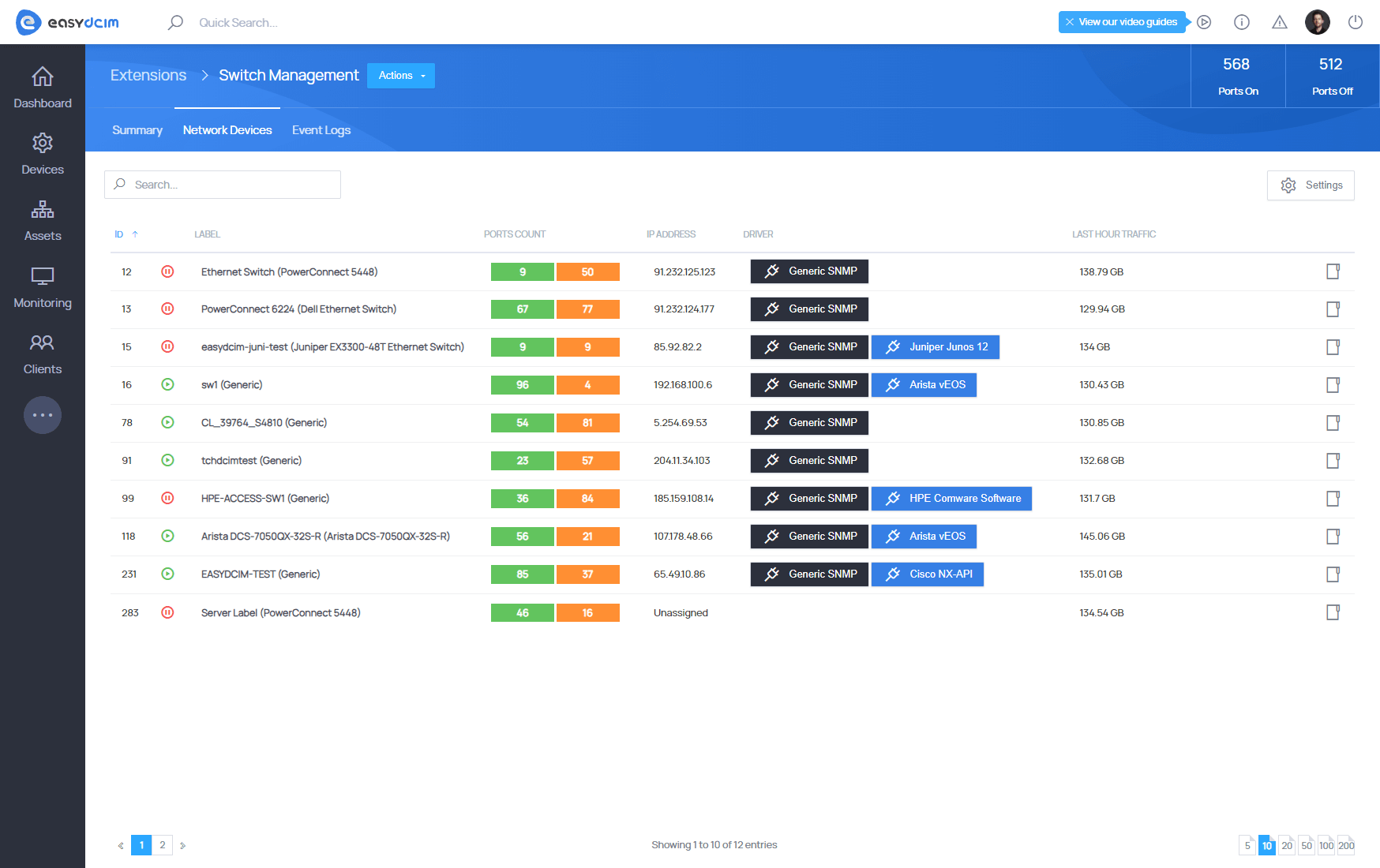
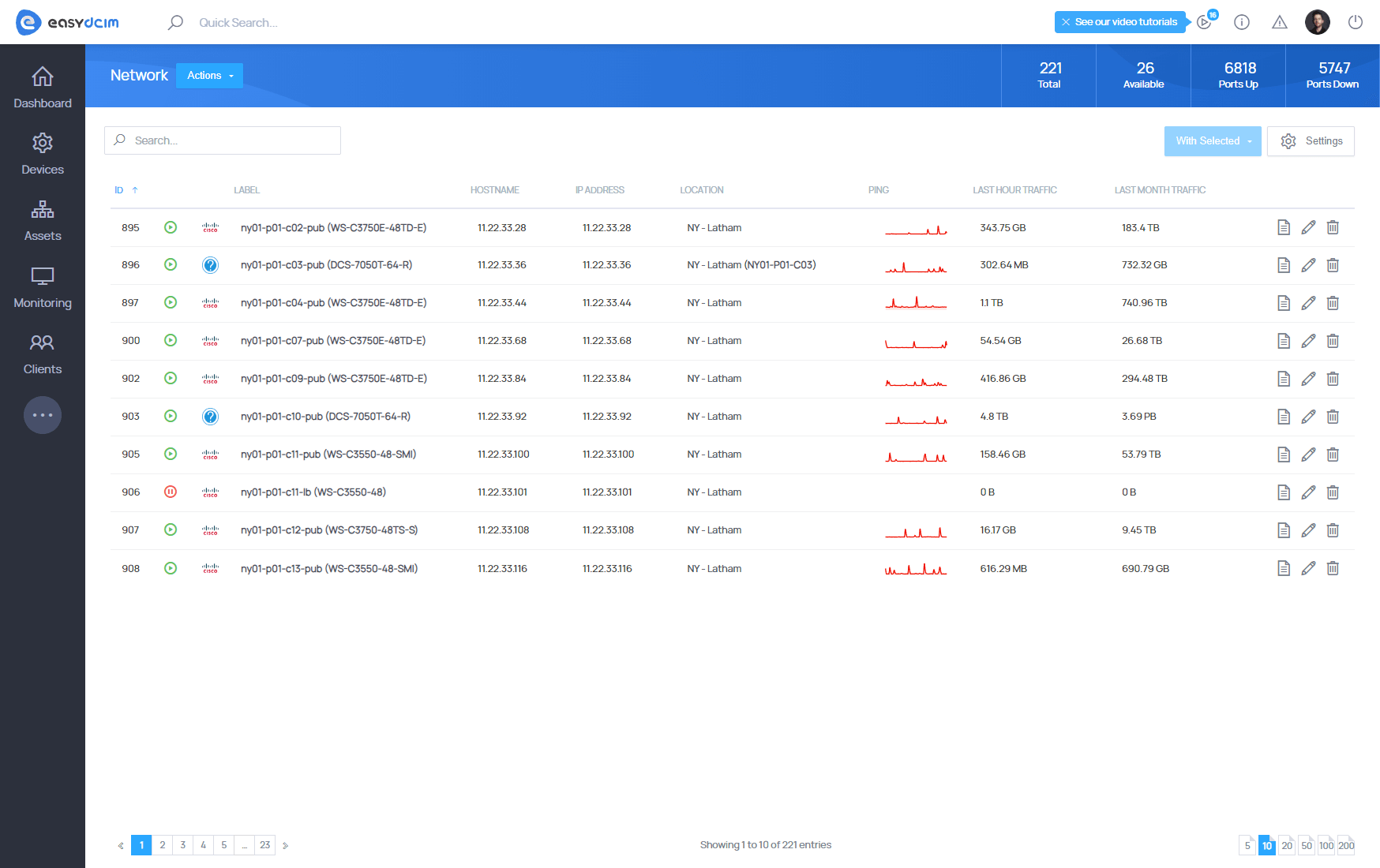
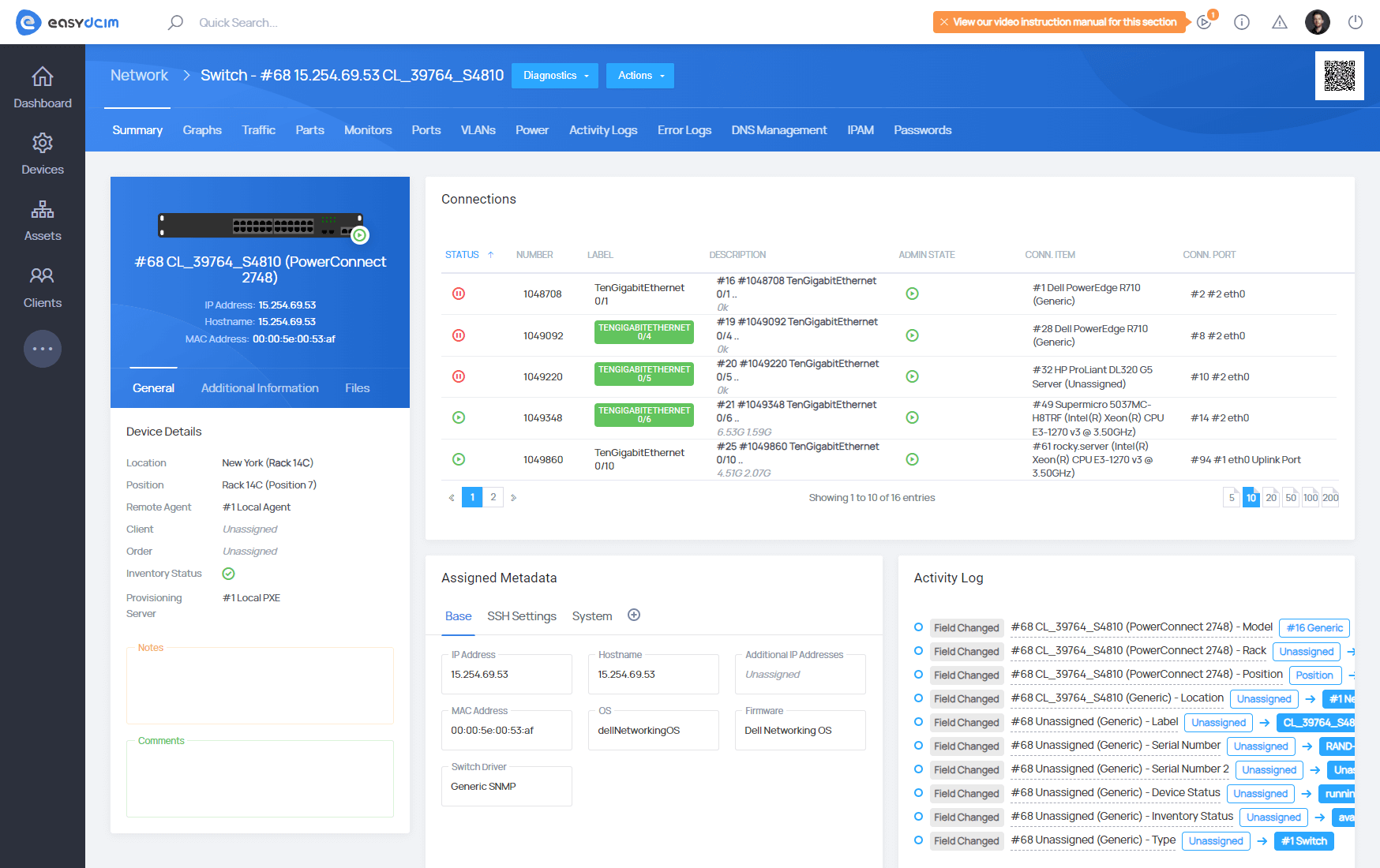
Switch Management For EasyDCIM provides a unified interface for monitoring and managing physical switch-type devices.

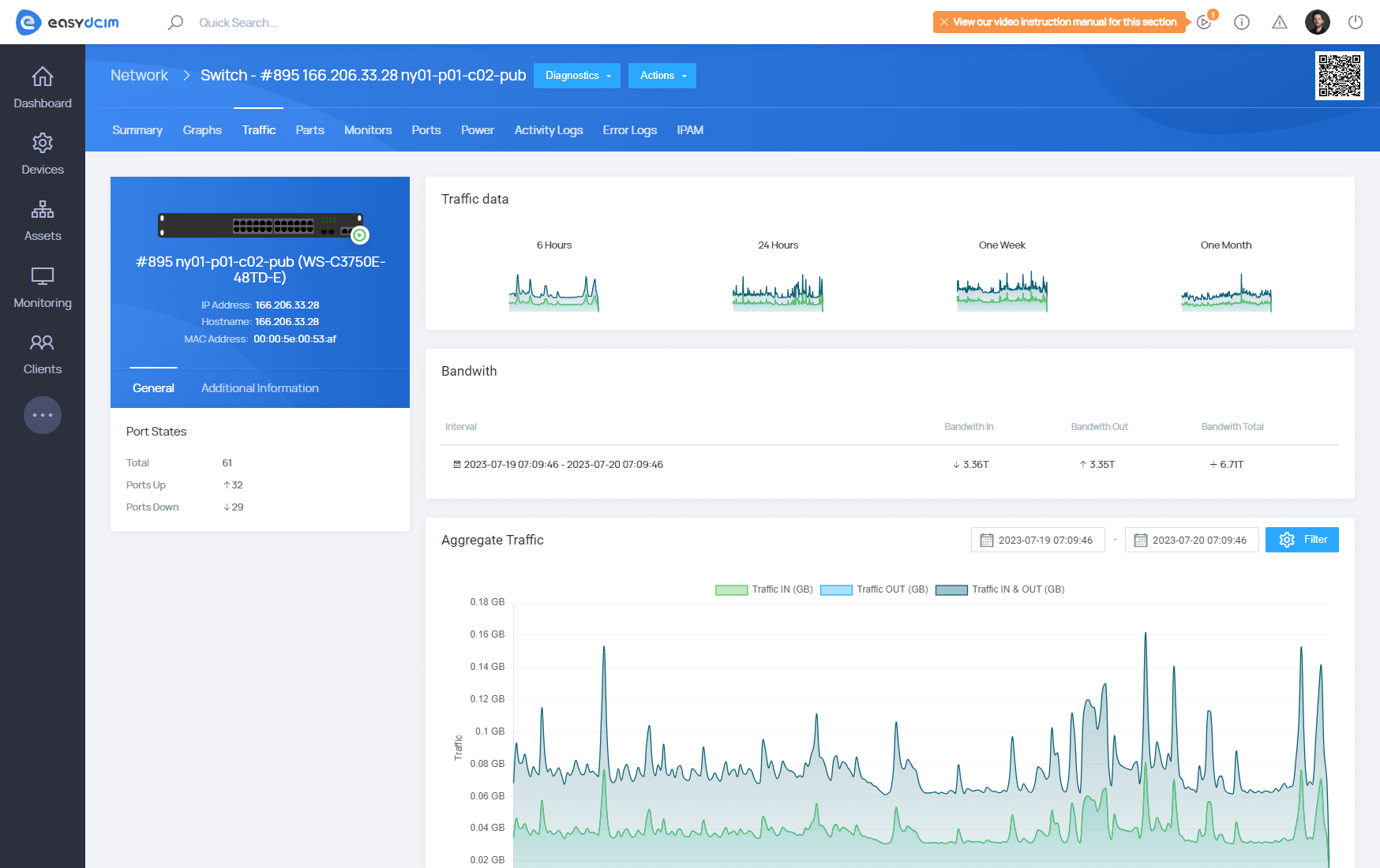
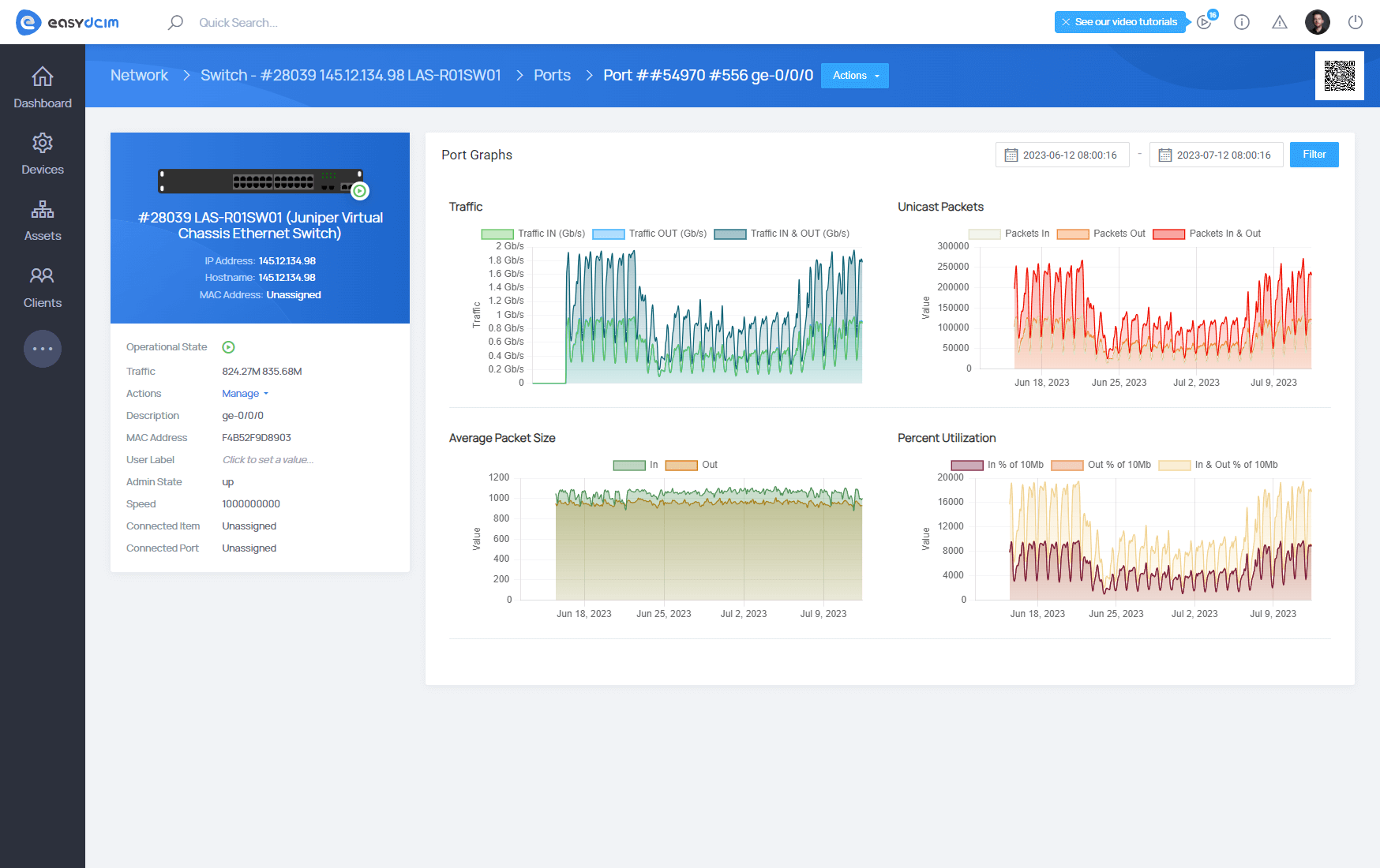
Discover and monitor ports, speeds, counters, errors and traffic, view port health and selectable live traffic, manage connections, and use supported managed drivers for VLAN, trunk, speed and interface operations.

Versioned declarative SNMP Profiles can be synchronized from the Licensing Server or created as custom profiles by cloning an existing definition. SNMP monitoring remains independent from the Managed Switch Driver, while existing devices continue using their legacy behavior until an administrator explicitly selects an SNMP Profile.

Features

  • Control State Of Any Switch Port Remotely
  • Automatic Switch Port Turning On/Off On Suspension/Unsuspension/Termination Of Any Chosen Product
  • VLAN Management Support For:
    • Arista vEOS Devices
    • HPE Comware Software Devices
    • Juniper Devices With JUNOS 12.3R12-S12 And JUNOS 20.X
    • MikroTik RouterOS Devices
  • Disable/Enable Network Port For:
    • Arista vEOS Devices
    • HPE Comware Software Devices
    • Juniper Devices With JUNOS 12.3R12-S12 And JUNOS 20.X
    • MikroTik RouterOS Devices
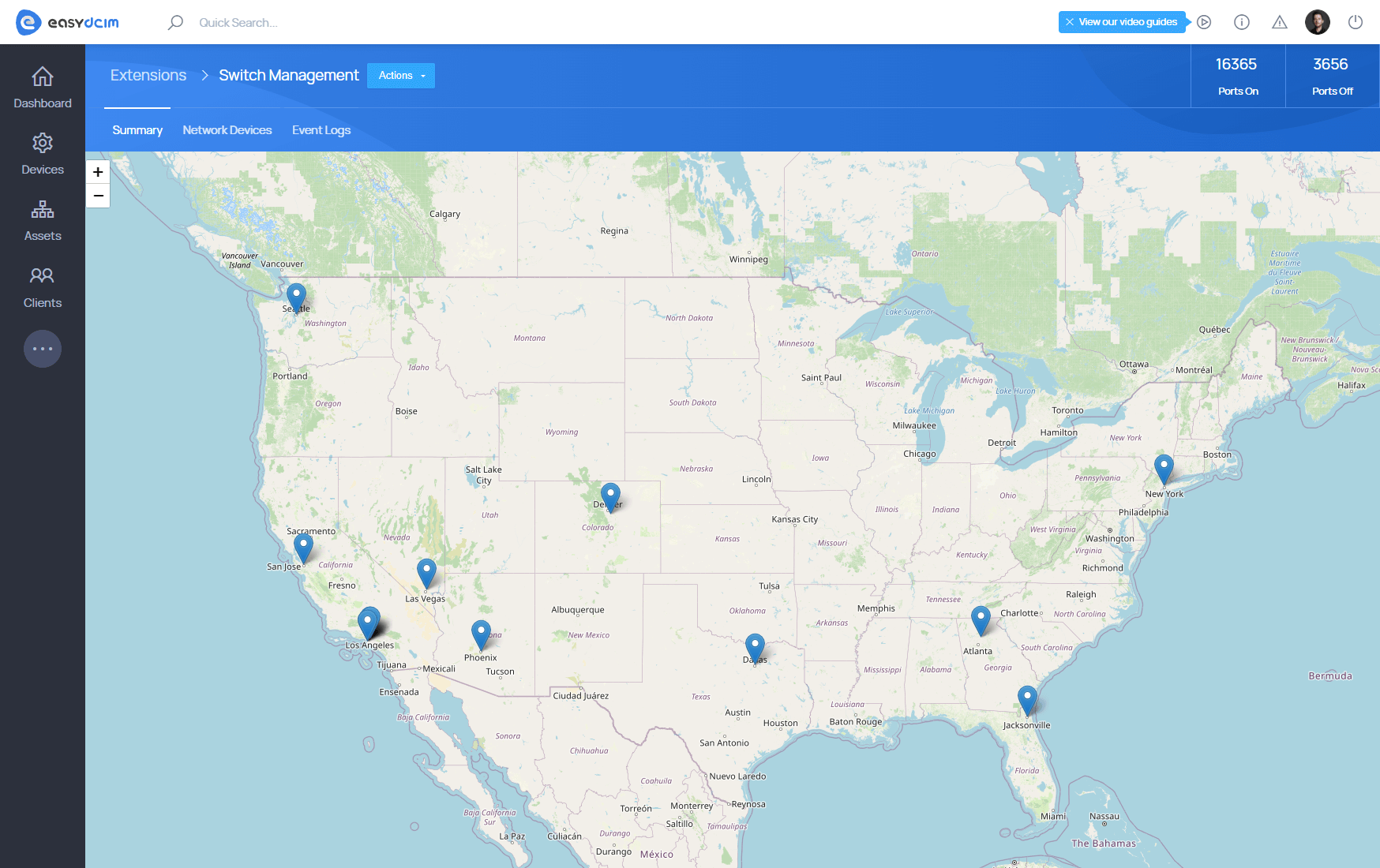
  • View Switch Locations Map With The Number Of On/Off Ports
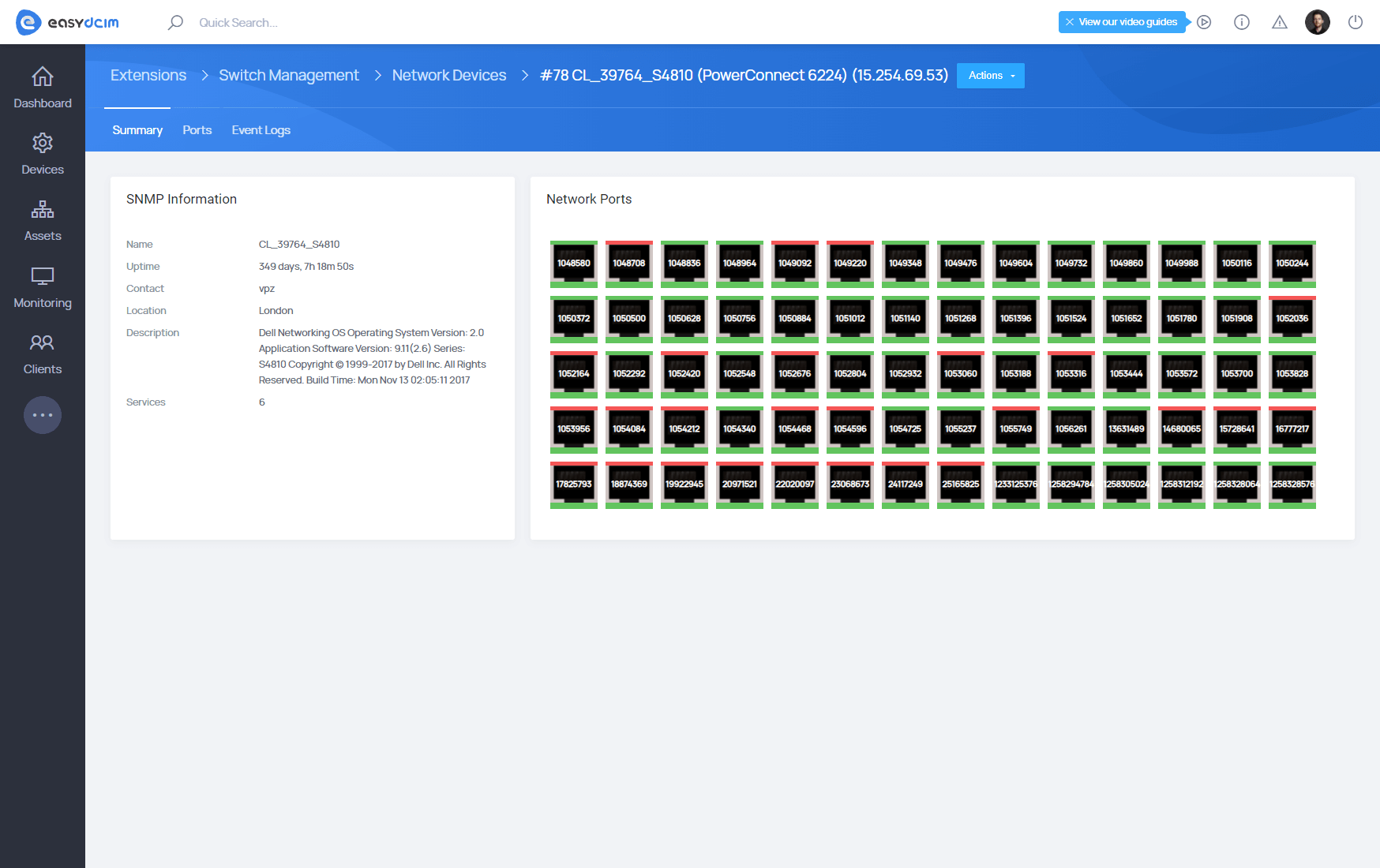
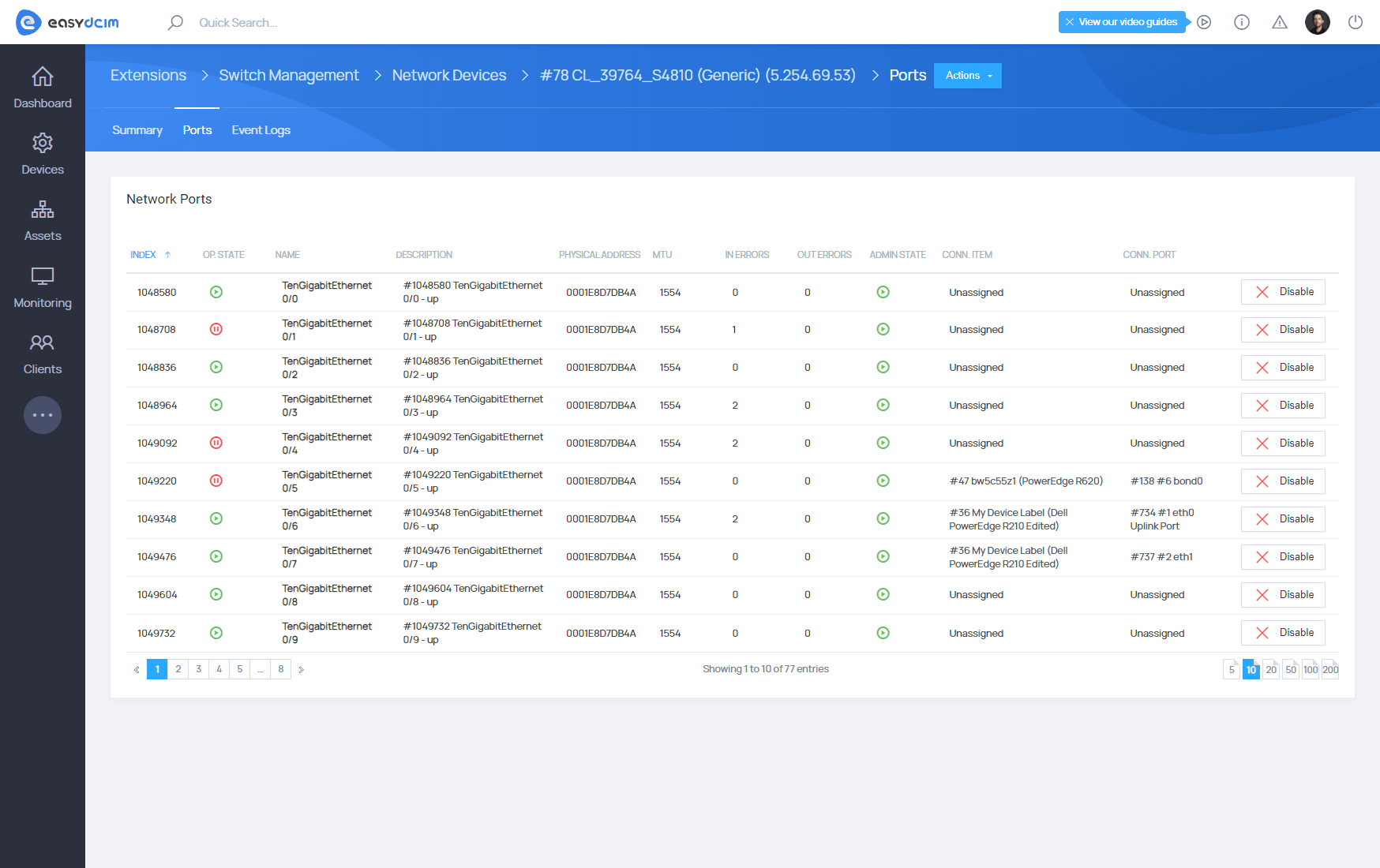
  • Access Detailed Information About Each Switch Port
  • View Aggregate Statistics
  • View General Graphs:
    • Ports Summary
    • Error Summary
    • Packets Summary
  • View Event Logs
  • Use Versioned Declarative SNMP Profiles:
    • Select official profiles synchronized from the Licensing Server
    • Clone an official profile to create a custom definition
    • Keep existing devices on legacy behavior until an SNMP Profile is explicitly selected
  • Manage Switches From A Shared Device View:
    • Device Health and Port Health summaries
    • Selectable Live Traffic and Top Traffic Ports
    • Connection-failure zero-data state
  • Use Filterable Device And Port Views:
    • Filter and paginate switch and port data
    • Edit connected items and connected ports from the standard form
  • Arista
  • Aruba
  • Cisco
  • Dell
  • HP
  • Juniper
  • MikroTik
  • Netgear

Changelog

Sep 24, 2026
Version 1.4.4
New Features:
  • [SNMP Profiles] - Added declarative SNMP profile support for switch devices:
    • Configure Generic SNMP switch discovery, polling, port status, speed and traffic telemetry from a JSON profile
    • Use official profiles synchronized from the Licensing Server or create custom profiles by cloning an existing profile
    • Keep the selected managed Switch Driver independent from the SNMP Profile
    • Keep existing switch devices on their legacy SNMP behavior unless an SNMP Profile is explicitly selected
    • Adds a shared Switch Management device tab with Device Health, Port Health, Top Traffic Ports and selectable Live Traffic
    • Provides common device and port views with filtering, pagination, editable connected item and port fields, and traffic sorting
    • Shows a standard zero-data state when the SNMP connection fails instead of presenting unavailable data as current
Sep 12, 2024
Version 1.4.3
New Features:
  • [VLANs Management For MikroTik Devices] - A new driver for MikroTik switches running RouterOS:
    • Testing the connection to the switch
    • Automatic detection of VLANs in a device polling process
    • Adding, editing and deleting VLANs
    • Assigning VLANs to a switch network port
    • Section with a list of device VLANs including assigned network ports, search and filtering options
    • Enabling and disabling network ports
    • Configuring network port speed
Jun 14, 2023
Version 1.4.2
New Features:
  • [VLAN Management] - Added VLAN management support for Juniper devices with the JUNOS 20 operating system:
    • Integration with the NETCONF protocol
    • Testing the switch connection using the NETCONF protocol
    • Automatic detection of VLANs in the polling process of the device
    • Adding VLANs
    • Assigning single and multiple VLANs to a switch network port
    • Changing the speed of network ports
    • Enabling/disabling network ports using the NETCONF protocol
Feb 10, 2022
Version 1.4.1
New Features:
  • [Arista Switches - Port Speed Change] - A new option to change the port speed of Arista VEOS devices equipped with an eAPI interface
Dec 21, 2021
Version 1.4.0
New Features:
  • [HPE Comware Software Driver] - Added driver for switches with HPE Comware Software system in version 7 and further:
    • Test connection with the switch
    • Automatically detect VLANs during the device polling process
    • Add VLANs
    • Assign a single VLAN to the switch network port
    • Assign multiple VLANs to the switch network port
    • Access a new section with the list of device VLANs, assigned network ports, searching and filtering options
    • Turn the network ports on and off
    • Set the switch network port configuration into the TRUNK mode
    • Define Native VLAN for a network port in the TRUNK mode
    • Change the port description directly on the list of ports
  • [Arista VEOS Driver] - Added driver for switches with the Arista VEOS system:
    • Test connection with the switch
    • Automatically detect VLANs during the device polling process
    • Add and remove VLANs
    • Assign a single VLAN to the switch network port
    • Assign multiple VLANs to the switch network port
    • Access a new section with the list of device VLANs, assigned network ports, searching and filtering options
    • Turn the network ports on and off
    • Set the switch network port configuration into the TRUNK mode
    • Define Native VLAN for a network port in the TRUNK mode
Dec 10, 2020
Version 1.3.0
New Features:
  • [VLAN Management] - Added VLAN management support for Juniper devices with JUNOS 12.3R12-S12:
    • Integrate with the NETCONF protocol
    • Test the connection with a switch using the NETCONF protocol
    • Automatically detect VLANs during the device’s polling process
    • Add VLANs
    • Assign a single or multiple VLANs to the network port of a switch
    • Use the searching and filtering options across the new section that presents the list of VLANs of a device with assigned network ports
  • [NETCONF Ports Actions] - Advanced support for network ports using the NETCONF protocol:
    • Switch network ports on/off
    • Change the network port of a switch to the TRUNK mode
    • Define Native VLAN for the network port in the TRUNK mode
Improvements:
  • [Switch Devices Filtering] - Added advanced filtering of the list with Switch and Router devices in the extension view
Jan 30, 2017
Version 1.2.0
New Features:
  • View of a map showing switch locations in the system, along with the number of on/off ports for a given location
  • View presenting ports with the particular statuses - Operational State and Admin State
  • Aggregate statistics on disabled/enabled ports, inbound/outbound error packets and inbound/outbound discarded packets
  • General graphs:
    • Ports Summary - presenting historically how many ports were enabled/disabled in the specific time
    • Error Summary - presenting historically how many error packets were found in the specific time
    • Packets Summary - presenting historically how many ports were rejected in the specific time
  • Event Logs - presenting the actions performed on particular device within EasyDCIM
Improvements:
  • Enhanced interface
  • Refined 5 minute cache allowing to use the module easier and faster
Bug Fixes:
  • Improved support for handling exceptions while proceeding to the port site of the device
May 4, 2016
Version 1.1.0
Redeveloped:
  • Core
  • Functionalities
  • Interface
Jun 25, 2015
Version 1.0.0
Released:
  • Stable Version

LOOKS PROMISING?

Time to get the ball rolling!

Give EasyDCIM a try with our 30-day money-back guarantee
Shape Left
Shape Right