Overview

OS Installation For EasyDCIM provides a complete, fully automated way to deploy operating systems on physical servers without the need to access the server console.

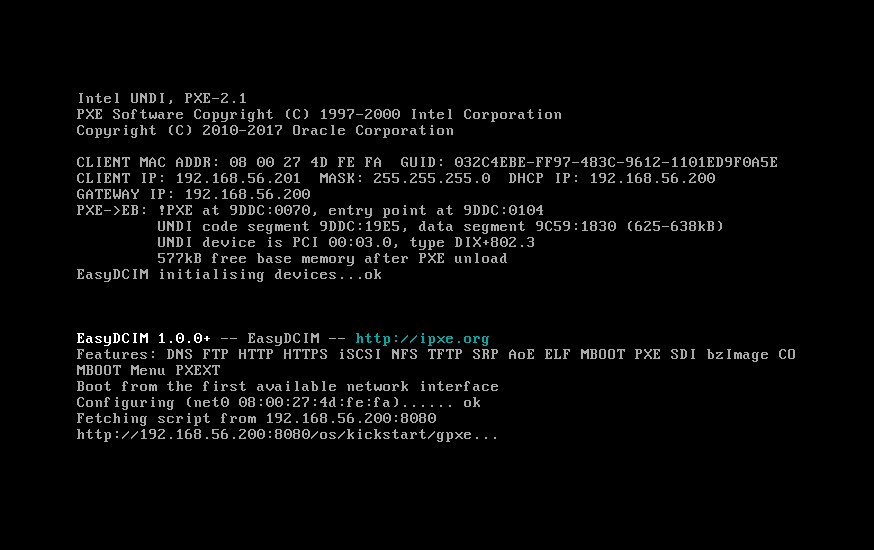
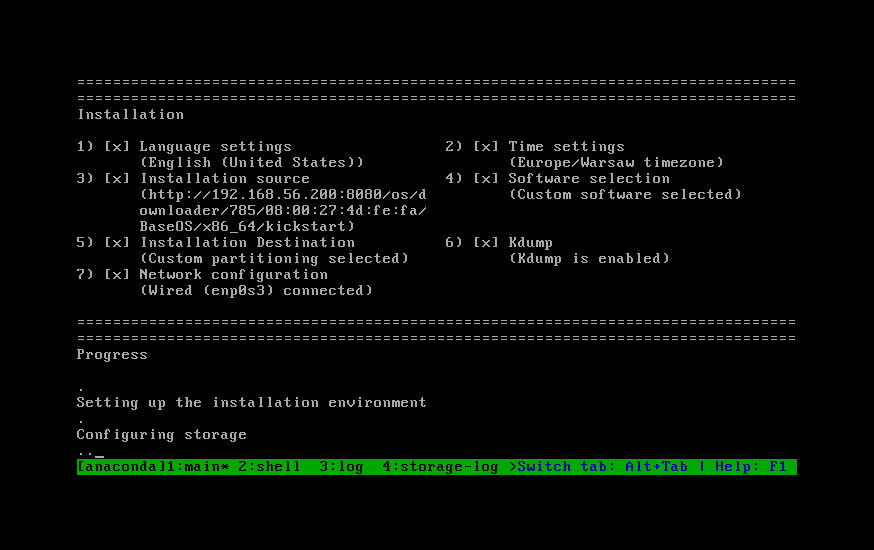
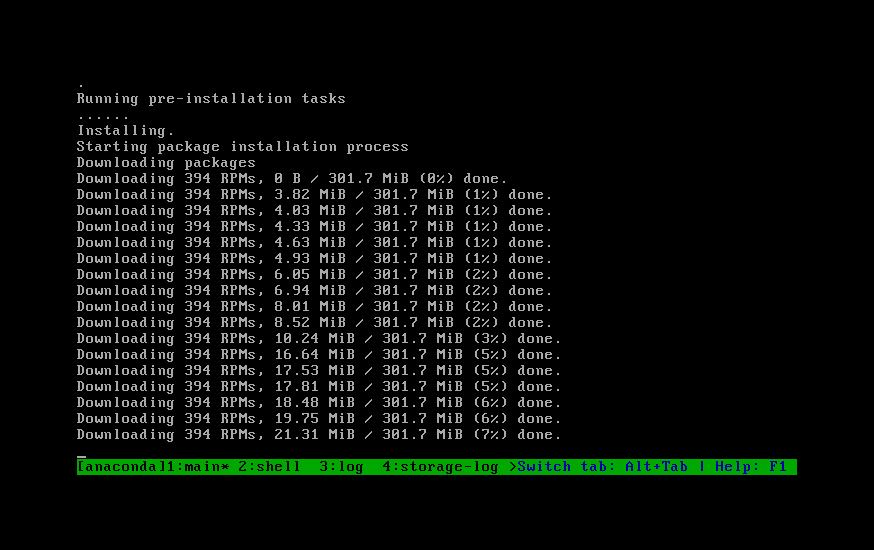
The extension covers the entire remote provisioning workflow using PXE boot, DHCP and TFTP, allowing EasyDCIM to install operating systems without manual intervention. It supports a wide range of Linux, Windows, Unix, rescue and utility systems, and lets you handle the installation process using a combination of templates and provisioning profiles.

Templates focus on system-specific configuration, while profiles define how the installation is executed, from boot configuration to post-install steps. This separation makes it possible to reuse installation logic across multiple operating systems, customize deployments for different use cases, and maintain consistent provisioning standards for larger environments.

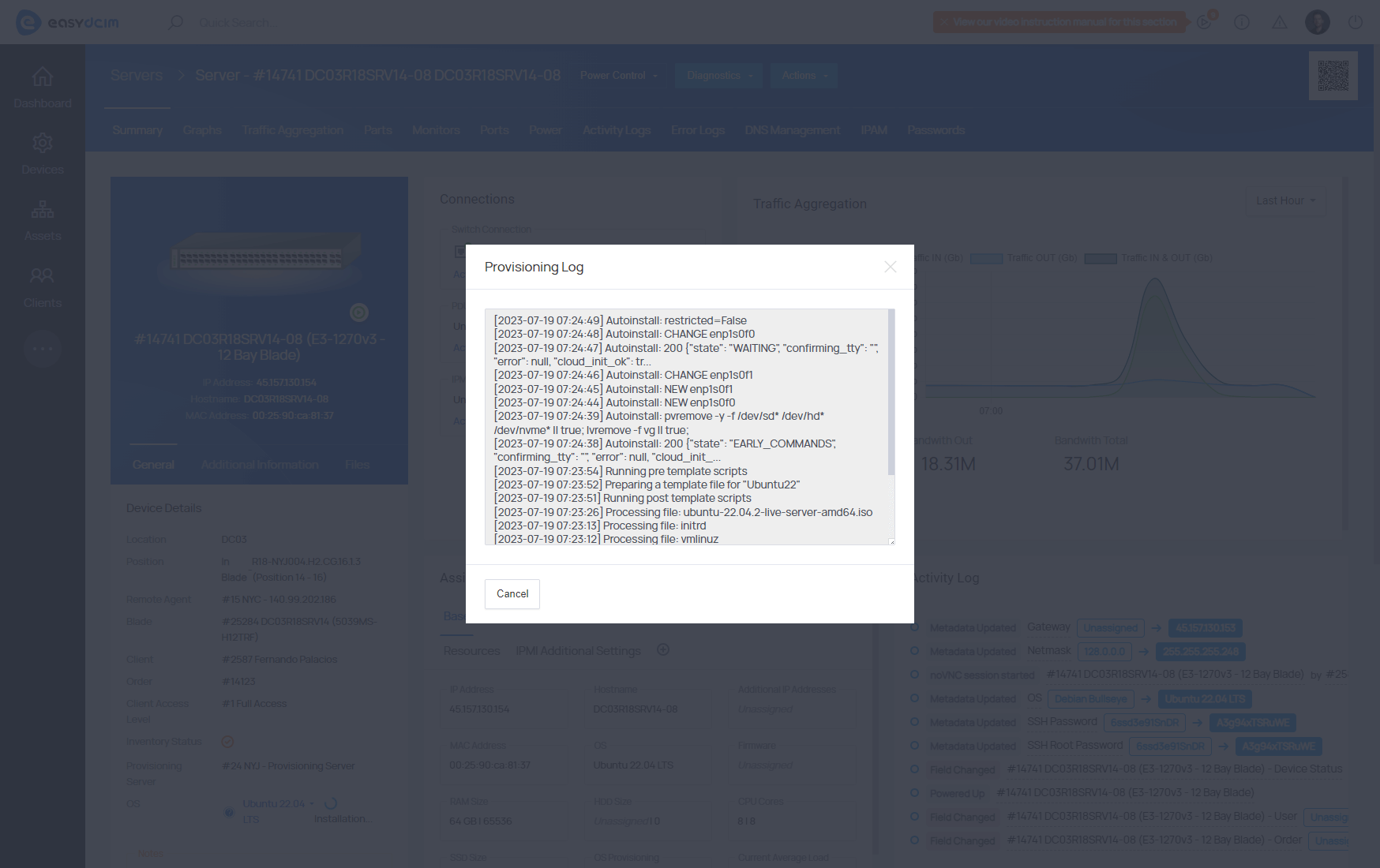
OS Installation For EasyDCIM integrates with IPAM, IPMI and PDU devices to coordinate networking, power control and installation triggers. Automated and manual installations using ISO images are both supported, with real-time status tracking and detailed logs available directly in the EasyDCIM panel.

Standardize server provisioning into a repeatable, low-effort process and give your team more time for real infrastructure work with OS Installation For EasyDCIM.

Features

  • Install And Configure Multiple OS Automatically
  • Use Official And Custom Provisioning Templates For System Configuration
  • Use Official And Custom Provisioning Profiles For Installation Flow And Post-Install Behavior:
    • CentOS 6 / 7 Legacy Kickstart
    • Debian First Boot
    • Debian Post-Installation
    • Fedora Server Kickstart
    • FreeBSD 13 Automated Install
    • Oracle Linux Kickstart
    • SystemRescueCD Network & DNS Setup
    • Ubuntu 20 First Boot
    • Ubuntu 20 Kickstart
    • Ubuntu Autoinstall (cloud-init)
    • Ubuntu First Boot Cleanup
    • Ubuntu Post-Installation
    • Universal Debian Preseed
    • Universal RHEL First Boot
    • Universal RHEL Kickstart (AlmaLinux, Rocky Linux, CentOS Stream)
    • VMware ESXi Automated Install
    • VzLinux Kickstart
    • Windows Post-Installation (RDP)
    • Windows Unattended Setup
    • Windows WinPE StartNet
  • Create/Edit/Synchronize OS Installation Addons:
    • Disk Layout
    • Post Installation
    • First Boot
  • Automatic Installation And Configuration Of DHCP Server Based On Module Configuration
  • Advanced Integration With IP Address Management Extension
  • Legacy BIOS And UEFI Mode Support
  • Automatic Device Boot Into PXE Mode Using IPMI
  • Automatic Device Restart Using IPMI And PDU
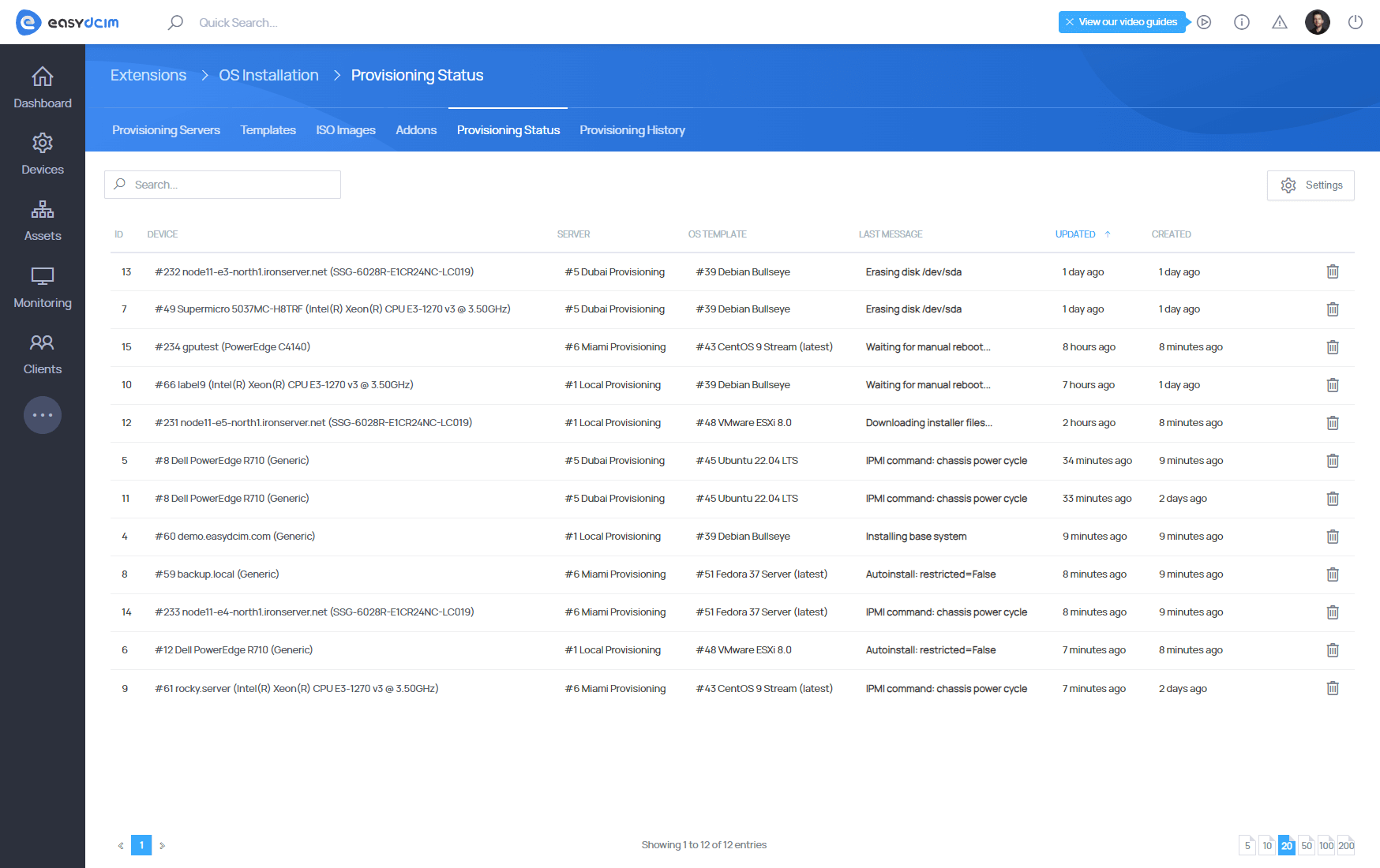
  • Display Of Current Operating System Installation Status
  • Cache System For Installation Templates
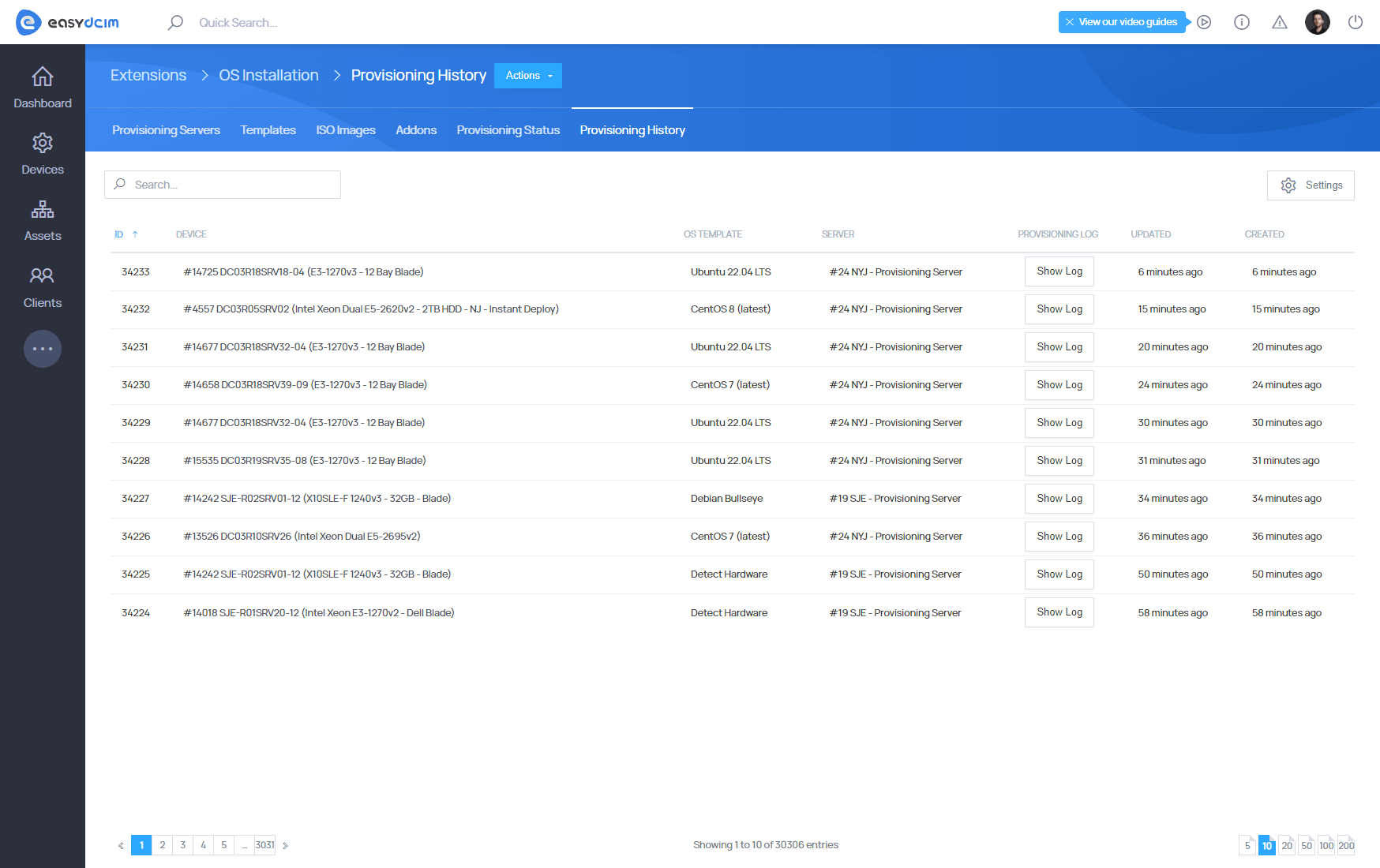
  • Record Of Completed Installations Along With Installation Logs
  • iPXE Startup File Placed Automatically In Dedicated Server Memory
  • Built-in DHCP And TFTP Server
  • Definition Of License Key For Windows
  • Installation And Configuration Of SAMBA Server
  • Run Rescue Mode Both From Back-End And Client Area Sections
  • Automation Of Operating System Installation Process:
    • Downloading System Files
    • Setting System Language
    • Setting Time Zone
    • Creating Standard User Account
    • Setting Password For New User Account
    • Setting SSH Keys For New User Account
    • Hard Disk Partitioning
    • Setting Root User Password
    • Setting Primary IP Address
    • Setting Additional IP Addresses And Network Interfaces
    • Installation Of Additional System Packages
    • Running First Boot Scripts - CentOS/Debian
    • Running Post-installation Scripts
    • Finishing Installation
    • Sending Confirmation Email To Client And Administrator Along With Login Data
  • Supported Linux Distributions:
    • AlmaLinux 8, 9, 10 (latest)
    • CentOS 6, 7, 8, 9 (latest)
    • CentOS Stream 8, 9, 10 (latest)
    • CloudLinux 8, 9 (latest)
    • Debian 9 Stretch, 10 Buster, 11 Bullseye, 12 Bookworm, 13 Trixie
    • Fedora Server 41, 43
    • Oracle Linux 8, 9, 10 (latest)
    • Proxmox VE 8.x, 9.x
    • Rocky Linux 8, 9, 10 (latest)
    • Ubuntu LTS 20.04, 22.04, 24.04
    • VzLinux 8 (latest)
    • VMware ESXi 7.0b, 8.0
  • Supported Windows Operating Systems:
    • Windows 10 (April 2018)
    • Windows Server 2025, 2022, 2019, 2016, 2012 R2, 2008 R2
  • Supported Unix Systems:
    • FreeBSD 13
  • Supported Rescue & Utility Systems:
    • Clonezilla 3.2.1-9
    • Detect Hardware
    • GParted 1.7.0
    • Hiren’s BootCD 15.2
    • Hiren’s BootCD PE 1.0.2
    • Memtest86+ 5.31b
    • SystemRescueCd 8.0.4 / 9.0.4
    • Wipe Hard Drive
    • Quick Wipe Hard Drive
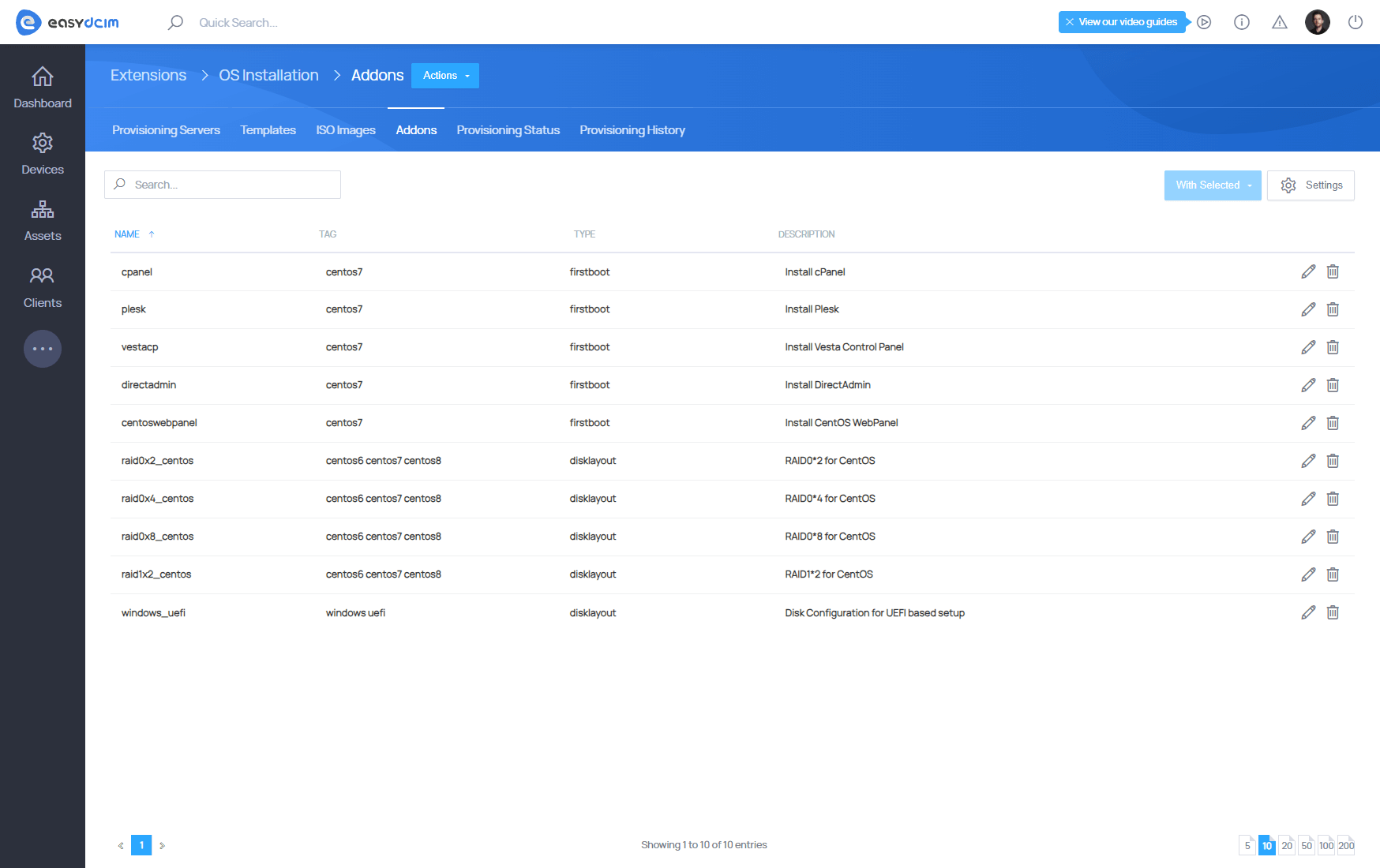
  • Supported First Boot Installation Addons (CentOS 7):
    • cPanel
    • Plesk
    • Vesta Control Panel
    • DirectAdmin
    • CentOS Web Panel
  • Supported Disk Layout Addons:
    • RAID 1 – 2 SATA disks (UEFI) – CentOS / Debian / Ubuntu
    • RAID 1 – 2 NVMe disks (UEFI) – CentOS / Debian / Ubuntu
    • RAID 0 – 2 NVMe disks (UEFI) – Ubuntu
    • UEFI Disk Layout – Windows
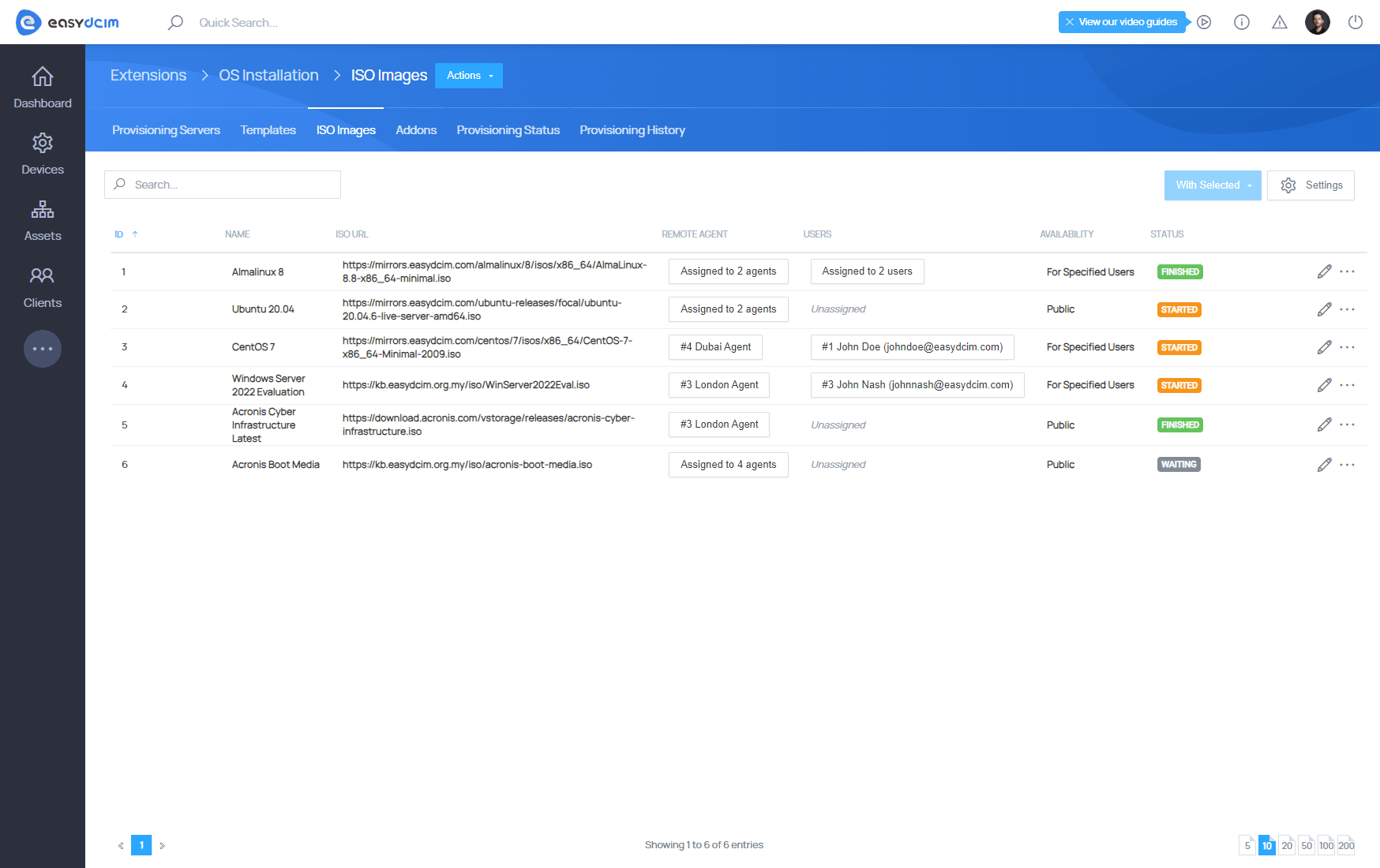
  • Manage ISO Files For Manual Installation
  • Enable/Disable Specific Submodules
  • Create Own Submodules
  • Manage OS Templates:
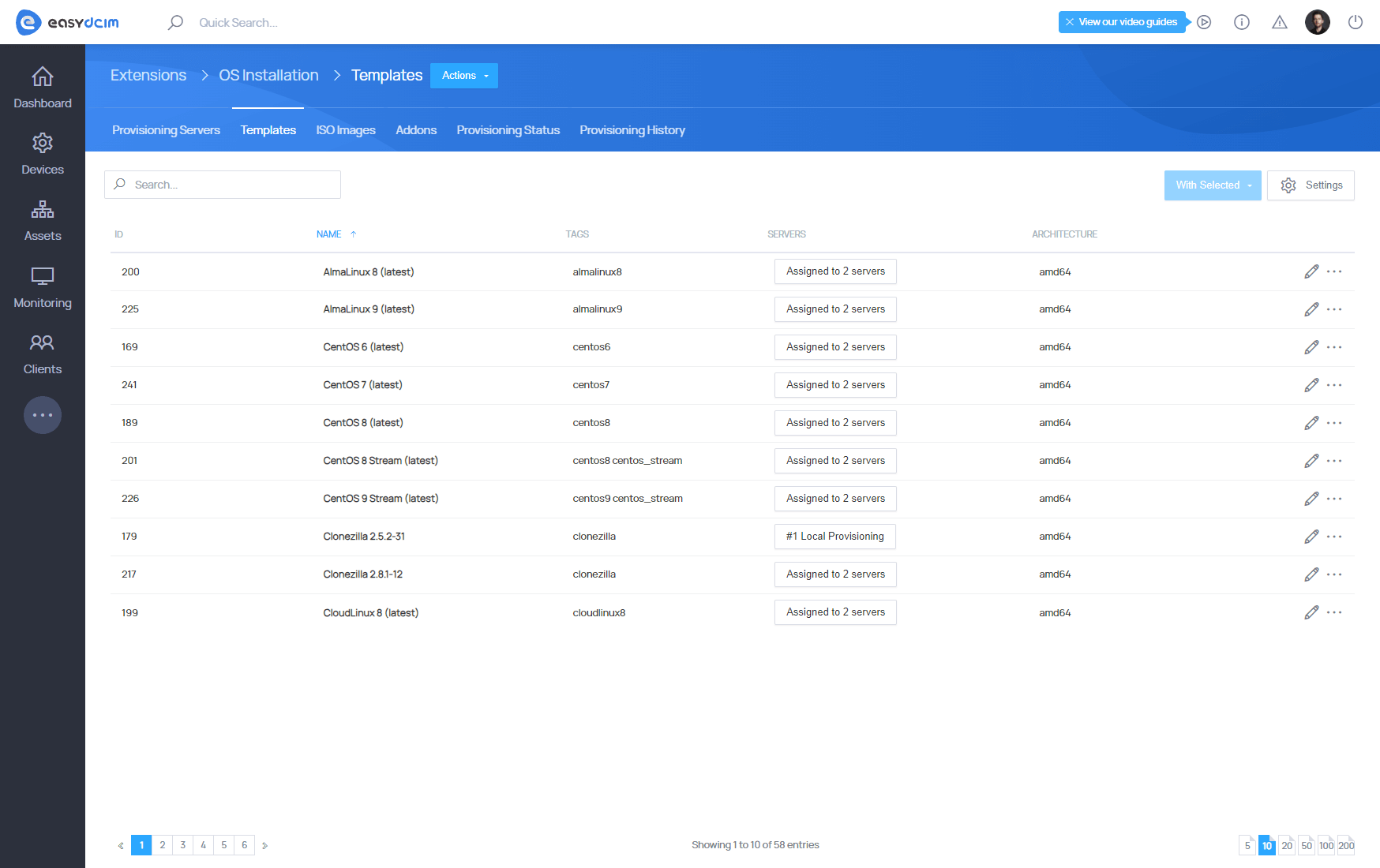
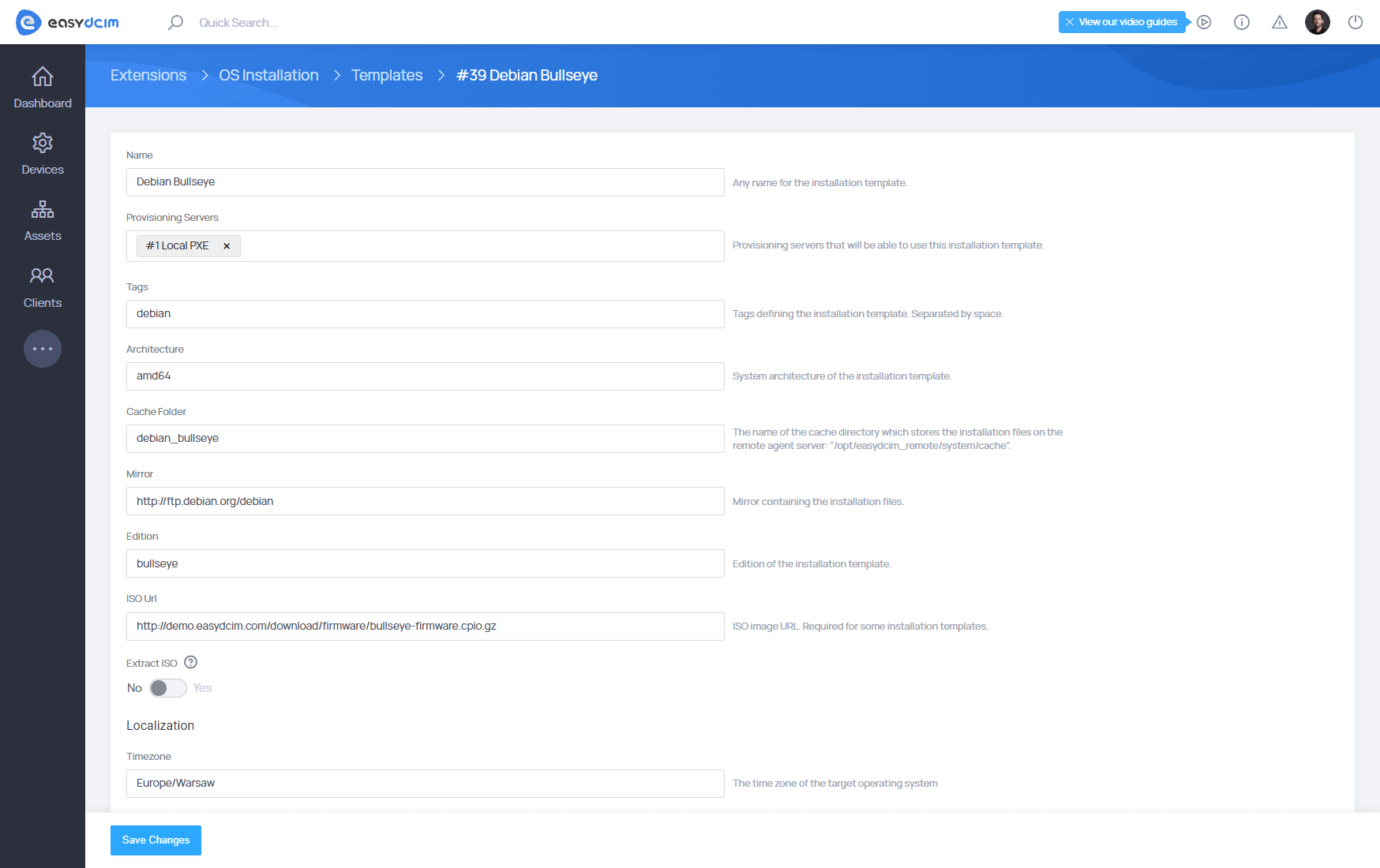
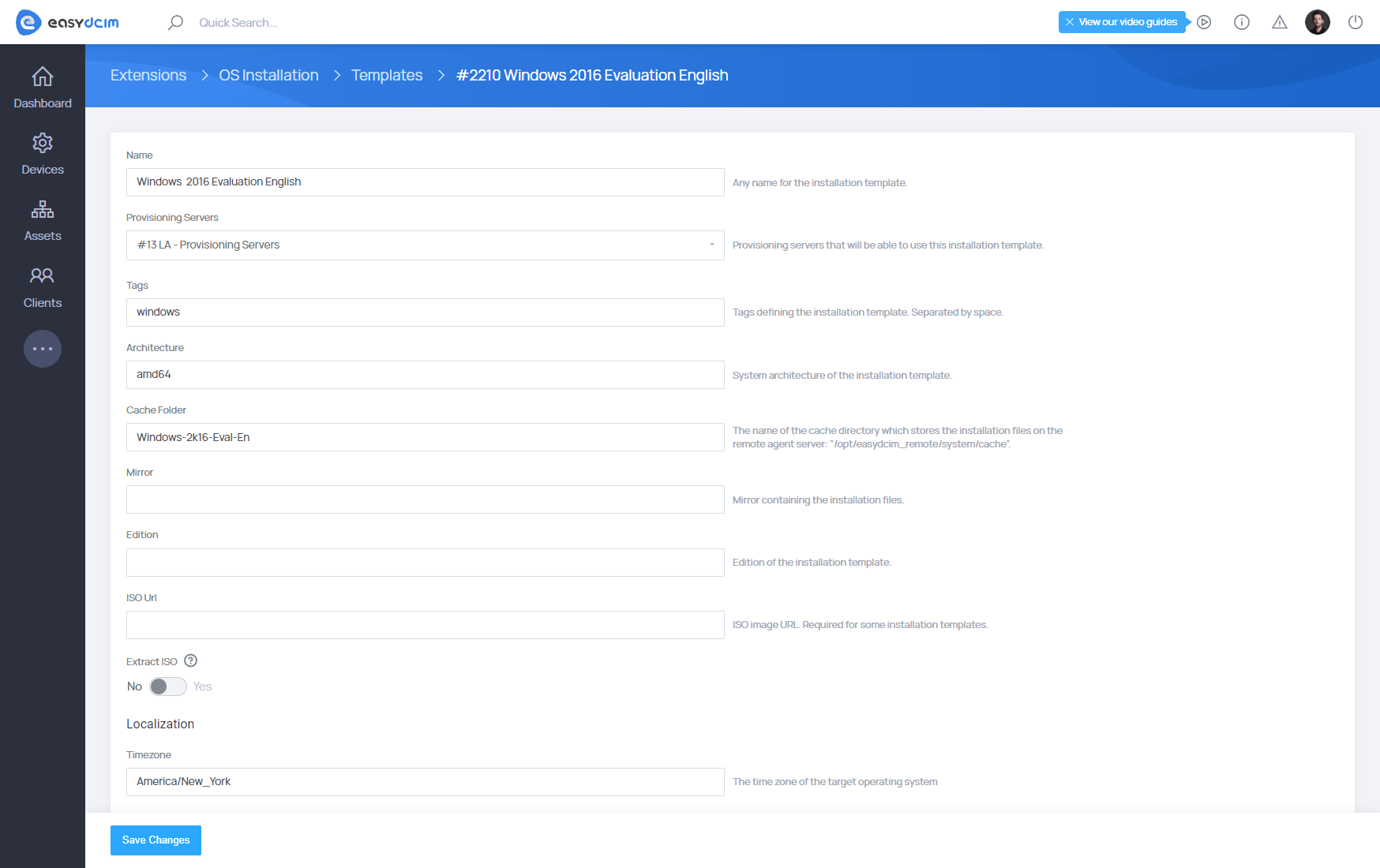
    • Add/Edit/Delete Templates
    • Define Template For Chosen Connection
    • Synchronize Templates Between Provisioning Servers

Changelog

Feb 4, 2025
Version 2.2.0
New Features:
  • [Provisioning Profiles] - Implemented Provisioning Profiles as reusable building blocks attached to installation templates and executed automatically during provisioning:
    • Extended OS installation process with support for advanced scenarios:
      • Automated disk partitioning
      • OS-specific installers (Kickstart, Preseed, Autoinstall, Unattend)
      • Windows PE (WinPE) initialization
      • First-boot and post-installation automation
    • Automatic and manual synchronization of provisioning profiles from the license server, with the option to update them independently of templates
    • Support for both official EasyDCIM provisioning profiles and custom profiles configured per environment
    • Improved consistency, reusability, and maintainability across multiple installations
  • [Provisioning Profiles / Official List] - The following provisioning profiles are officially maintained by EasyDCIM:
    • Universal RHEL Kickstart - Universal installation profile for AlmaLinux, Rocky Linux, and CentOS Stream
    • Universal RHEL First Boot - First boot configuration for RHEL-based systems (SSH keys, networking, additional IP addresses)
    • Fedora Server Kickstart - Automated Fedora Server installation
    • Oracle Linux Kickstart - Automated Oracle Linux installation
    • VzLinux Kickstart - Automated VzLinux installation
    • CentOS 6 / 7 Legacy Kickstart - Legacy installation profiles for CentOS 6 and 7
    • Universal Debian Preseed - Automated Debian installation
    • Debian Post-Installation - Post-installation tasks for Debian systems
    • Debian First Boot - First boot provisioning for Debian systems
    • Ubuntu Autoinstall (cloud-init) - Ubuntu Server installation using cloud-init
    • Ubuntu Post-Installation - Post-installation setup for Ubuntu systems
    • Ubuntu First Boot Cleanup - One-time first boot cleanup for Ubuntu
    • Ubuntu 20 Kickstart - Legacy Kickstart-based installation for Ubuntu 20.x
    • Ubuntu 20 First Boot - SSH provisioning on first boot for Ubuntu 20.x
    • FreeBSD 13 Automated Install - Automated FreeBSD 13 installation with ZFS and SSH
    • VMware ESXi Automated Install - Automated installation and provisioning of VMware ESXi
    • SystemRescueCD Network & DNS Setup - Network and DNS configuration for rescue environments
    • Windows WinPE StartNet - Windows WinPE bootstrap and initialization
    • Windows Unattended Setup - Unattended Windows installation
    • Windows Post-Installation (RDP) - Post-installation Windows configuration (RDP and firewall rules)
  • [Fedora 43 Server & Oracle Linux 10] - Automatic installation of the Fedora 43 Server and Oracle Linux 10 operating systems:
    • Creating user accounts and setting root password
    • Disk partitioning
    • First boot script execution
    • Installation of additional system packages
    • Language configuration
    • Network interface configuration
    • Post-installation script execution
    • SSH key support
    • Time zone configuration
  • [Custom VMware ESXi Templates] - Added support for creating custom VMware ESXi installation templates from vendor-specific or custom ISO images:
    • Enabled ESXi template creation per provisioning server via remote agent (SSH)
    • Supports UEFI boot mode and automated template generation handled by EasyDCIM
  • [Quick Wipe Hard Drive] - A new installation template has been added for fast disk cleanup:
    • Implemented quick removal of partition tables and boot data without performing a full disk overwrite
  • [Archived Templates] - Added support for archiving installation templates, keeping deprecated templates read-only and excluded from new provisioning while preserving historical configuration and metadata
  • [API v3 (Admin)] - Added new API v3 endpoints for managing provisioning profiles:
    • List Provisioning Profiles
    • Show Provisioning Profile
    • Create Provisioning Profile
    • Update Provisioning Profile
    • Delete Provisioning Profile
Improvements:
  • [Provisioning Statistics] - Added new Provisioning Statistics view with success rates per server, provisioning results overview, assigned template counts (Linux/Windows), and last provisioning execution time
  • [Extension Configuration] - Extended OS Installation configuration options:
    • Added controls for automatic and manual synchronization of provisioning profiles and installation templates
    • Introduced automatic cleanup of stale provisioning tasks
    • Added template cache management options, including automatic cleanup and configurable cache retention period
  • [Provisioning Addons] - Enabled applying provisioning addons assigned to OS templates together with addons selected by the user during installation, with proper priority handling and execution order during provisioning
  • [Deprecated Templates] - The following OS installation templates have been marked as deprecated and moved to archived templates: Ubuntu 18.04 LTS, Scientific Linux 7 (latest), Clonezilla 2.8.1-12, OpenSuse 42.3, Proxmox VE 6, Proxmox VE 7, GParted 1.3.1, R1Soft Backup Agent (latest), R1Soft Backup Server (latest), Fedora 37 Server (latest), Fedora 39 Server (latest)
Bug Fixes:
  • [API v3] - Fixed gPXE update handling during OS template updates
  • [API v3] - Fixed timezone validation error
Sep 3, 2025
Version 2.1.3
New Features:
  • [Debian 13 "trixie"] - Added automatic installation of Debian 13 "trixie":
    • Creating user accounts and setting root password
    • Disk partitioning
    • First boot script execution
    • Installation of additional system packages
    • Language configuration
    • Network interface configuration
    • Post-installation script execution
    • SSH key support
    • Time zone configuration
  • [Proxmox VE 9] - Automatic installation support for Proxmox VE 9:
    • Creating user accounts and setting root password
    • Disk partitioning
    • First boot script execution
    • Installation of additional system packages
    • Language configuration
    • Network interface configuration
    • Post-installation script execution
    • SSH key support
    • Time zone configuration
Jul 9, 2025
Version 2.1.2
New Features:
  • [RHEL 10 Support] - Automatic installation support for AlmaLinux 10, Rocky Linux 10, and CentOS Stream 10:
    • Creating user accounts and setting root password
    • Disk partitioning
    • First boot script execution
    • Installation of additional system packages
    • Language configuration
    • Network interface configuration
    • Post-installation script execution
    • SSH key support
    • Time zone configuration
Improvements:
  • [Provisioning Cancellation] – Added support for terminating the OS installation process when the "Terminate" action is executed on an order
  • [Debian-Based Systems] – Implemented file integrity check by comparing local and remote installation file sizes
  • [ISO Images] – Improved ISO file download mechanism from within EasyDCIM
  • [Redfish PXE Boot] – Improved PXE boot enforcement mechanism when using Redfish configuration
Bug Fixes:
  • [Admin Username] – Added restriction to prevent usage of the username admin for Debian and Ubuntu based systems
May 13, 2025
Version 2.1.1
New Features:
  • [Windows Server 2025] - Automatic installation of the Windows Server 2025 operating system:
    • Time zone configuration
    • Language configuration
    • Disk partitioning
    • Administrator account creation
    • Network interface configuration
    • Installation of additional system packages
    • Execution of post-installation scripts
  • [Rescue Templates] - Updated rescue templates to their latest versions:
    • GParted 1.7.0
    • Clonezilla 3.2.1-9
Jan 28, 2025
Version 2.1.0
New Features:
  • [Fedora Server 41] - Automatic installation of the Fedora Server 41 operating system:
    • Time zone configuration
    • Language configuration
    • Disk partitioning
    • Creating user accounts and setting up the root password
    • Support for SSH keys handling
    • Configuration of network interfaces
    • Installation of additional system packages
    • Post-installation scripts installation
    • First boot scripts installation
Improvements:
  • [First Boot Scripts] - Added support for defining variables in First Boot scripts
Bug Fixes:
  • [ESXI First Boot Scripts] - Fixed execution mechanism of First Boot scripts for VMware ESXi systems
  • [PXE IP Address] - Fixed mechanism for configuring the main IP address used by the DHCP server
Nov 20, 2024
Version 2.0.9
New Features:
  • [Template Synchronization] - Added option to synchronize individual installation templates with licensing server:
    • Updating core OS template parameters such as: GPXE Script, Disk Layout, Packages, Mirror, ISO URL, Post Installation Script, First Boot Script
  • [Mass OS Reinstallation Actions] - Added functionality for simultaneous OS installations on multiple servers:
    • Maximum limit of ongoing installations is set to 20
Improvements:
  • [UEFI Mode Restart] - Default UEFI partitioning for Windows family templates
Jul 25, 2024
Version 2.0.8
New Features:
  • [Ubuntu 24.04 LTS System Template] - Automatic installation of the Ubuntu 24.04 LTS operating system:
    • Time zone configuration
    • Language configuration
    • Disk partitioning
    • Creating user accounts and setting up the root password
    • Configuration of network interfaces
    • Installation of additional system packages
    • Post-installation scripts installation
    • First boot scripts installation
May 16, 2024
Version 2.0.7
Improvements:
  • [Windows Post Installation Scripts] - The mechanism for executing post installation scripts for Windows systems has been revised
Mar 26, 2024
Version 2.0.6
New Features:
  • [SSH Keys Support] - Added support for installing Linux-based operating systems with SSH keys:
    • Select multiple public SSH keys when installing the operating system
    • Supported operating systems:
      • AlmaLinux 8, 9
      • CentOS 6, 7, 8
      • CentOS Stream 8, 9
      • CloudLinux 8, 9
      • Debian Bookworm, Bullseye, Buster, Jessie, Stretch
      • Fedora Server 37, 39, 41
      • openSUSE 42.3
      • Oracle Linux 8, 9
      • Proxmox VE 6, 7, 8
      • Rocky Linux 8, 9
      • Scientific Linux 7
      • Ubuntu 18.04 LTS, 20.04 LTS, 22.04 LTS
      • VzLinux 8
  • [Fedora Server 39] - Automatic installation of the Fedora Server 39 operating system:
    • Time zone configuration
    • Language configuration
    • Disk partitioning
    • Creating user accounts and setting up the root password
    • Configuration of network interfaces
    • Installation of additional system packages
    • Post-installation scripts installation
    • First boot scripts installation
Improvements:
  • [ISO Image Auto Removal] - Added possibility to disable automatic deletion of ISO images after a specified period of time
Bug Fixes:
  • [Provisioning Tasks Shutdown] - Corrected automatic closure of OS installation tasks after 60 minutes of inactivity
Jan 23, 2024
Version 2.0.5
Bug Fixes:
  • [Detect Hardware] - Fixed issue where NVMe drives and their size in GB were not being detected correctly
Nov 23, 2023
Version 2.0.4
New Features:
  • [Proxmox VE 8.X System Template] - Automatic installation of the Proxmox VE 8.X operating system has been introduced:
    • Time zone configuration
    • Language configuration
    • Disk partitioning
    • Creating user accounts and setting up the root password
    • Configuration of network interfaces
    • Installation of additional system packages
    • Post-installation scripts installation
    • First boot scripts installation
  • [Ordering Process] - A new functionality to select installation addons and specify hard disk partitioning when placing the order
Bug Fixes:
  • [Restricted "Root" Name] - The installation is correctly blocked in case a restricted name for the "root" account is used
Sep 26, 2023
Version 2.0.3
New Features:
  • [Debian 12 "Bookworm" System Template] - Automatic installation of the Debian 12 "Bookworm" operating system has been introduced:
    • Time zone configuration
    • Language configuration
    • Disk partitioning
    • Creating user accounts and setting up the root password
    • Configuration of network interfaces
    • Installation of additional system packages
    • Post-installation scripts installation
    • First boot scripts installation
Improvements:
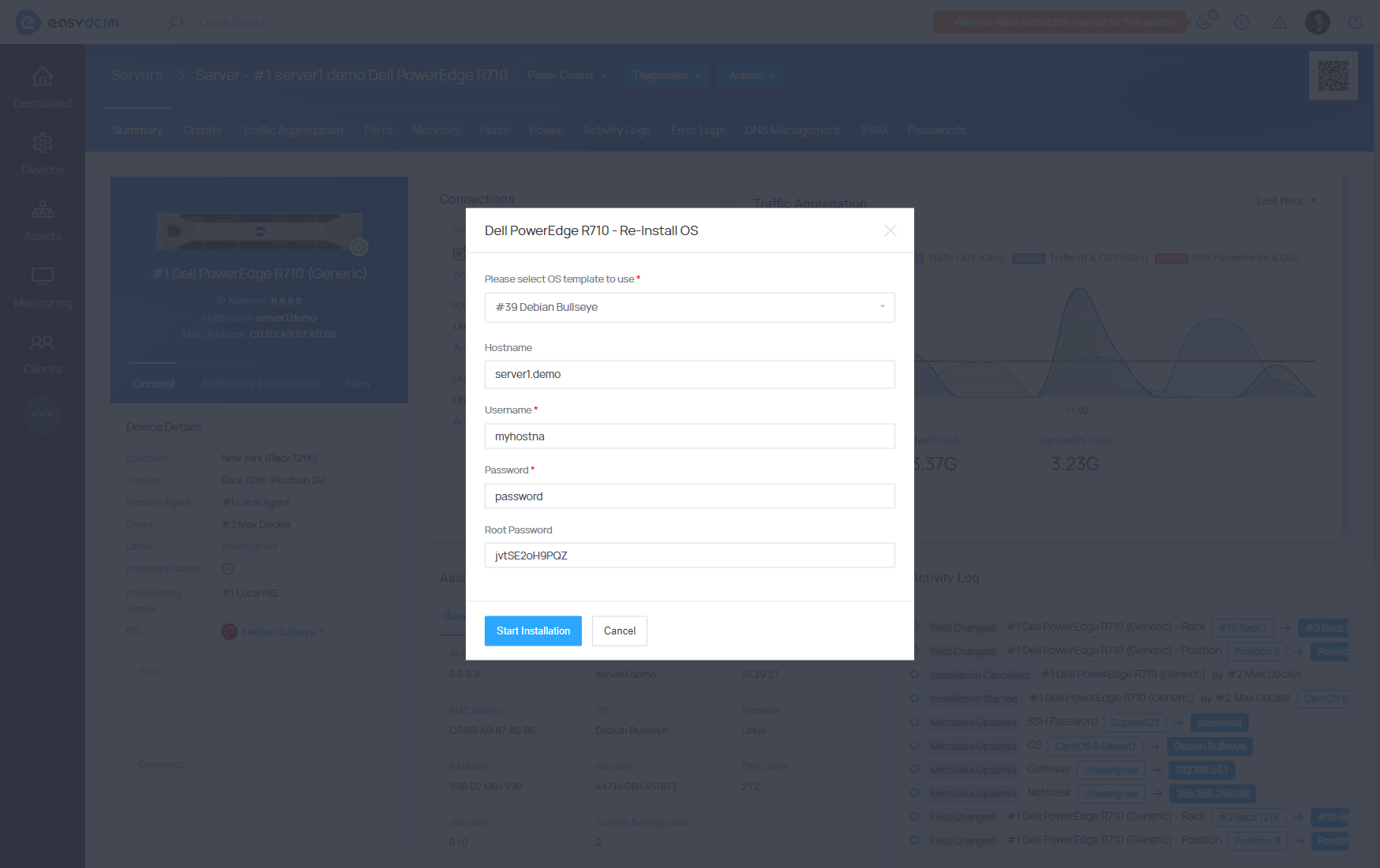
  • [System Reinstallation] - Dynamic generation of Username, Password and Root Password fields depending on the operating system family (Linux or Windows)
Jun 14, 2023
Version 2.0.2
New Features:
  • [FreeBSD 13.1 System Template] - Automatic installation of the FreeBSD 13.1 operating system:
    • Time zone configuration
    • Language configuration
    • Disk partitioning
    • Creating user accounts and setting up the root password
    • Configuration of network interfaces
    • Installation of additional system packages
    • Post-installation scripts installation
    • First boot scripts installation
Improvements:
  • [ISO Images Notifications] - Implemented system notifications for adding and deleting ISO files
Mar 23, 2023
Version 2.0.1
New Features:
  • [ISO Images] - Manage ISO images that will be available in a noVNC session:
    • Manage ISO files from the level of the administrator, client area and API
    • Define public and user-assigned ISO files
    • Automatically remove obsolete ISO files
    • Define a limit of ISO images per user
  • [OS Installation] - Added new system templates:
    • [Fedora Server 37] - Automatic installation of the Fedora Server 37 operating system:
      • Time zone configuration
      • Language configuration
      • Disk partitioning
      • Creating user accounts and setting up the root password
      • Configuration of network interfaces
      • Installation of additional system packages
      • Post-installation scripts installation
      • First boot scripts installation
    • [CloudLinux 9] - Automatic installation of the CloudLinux 9 operating system:
      • Time zone configuration
      • Language configuration
      • Disk partitioning
      • Creating user accounts and setting up the root password
      • Configuration of network interfaces
      • Installation of additional system packages
      • Post-installation scripts installation
      • First boot scripts installation
Jan 24, 2023
Version 2.0.0
New Features:
  • [OS Installation] - Added new system templates:
    • [VzLinux 8] - Automatic installation of the VzLinux 8 operating system:
      • Time zone configuration
      • Language configuration
      • Disk partitioning
      • Creating user accounts and setting up the root password
      • Configuration of network interfaces
      • Installation of additional system packages
      • Post-installation scripts installation
      • First boot scripts installation
    • [Oracle Linux 9] - Automatic installation of the Oracle Linux 9 operating system:
      • Time zone configuration
      • Language configuration
      • Disk partitioning
      • Creating user accounts and setting up the root password
      • Configuration of network interfaces
      • Installation of additional system packages
      • Post-installation scripts installation
      • First boot scripts installation
    • [VMware ESXi 8.0] - Automatic installation of the VMware ESXi 8.0 operating system:
      • Time zone configuration
      • Language configuration
      • Disk partitioning
      • Creating user accounts and setting up the root password
      • Configuration of network interfaces
      • Installation of additional system packages
      • Post-installation scripts installation
      • First boot scripts installation
Nov 22, 2022
Version 1.9.9
New Features:
  • [Rescue Tools] - New rescue tools have been introduced:
    • [Rocky Linux 9] - Automatic installation of the Rocky Linux 9 operating system:
      • SystemRescueCd 9.0.4 - A Linux system rescue toolkit to manage or repair the system and data
      • Detect Hardware - A new version of the template responsible for detecting hardware installed on a dedicated server
Bug Fixes:
  • [Empty Username Field] - The operating system installation will run correctly even if the "Username" field is empty
Sep 28, 2022
Version 1.9.8
New Features:
  • [OS Installation] - Added new system templates:
    • [Rocky Linux 9] - Automatic installation of the Rocky Linux 9 operating system:
      • Time zone configuration
      • Language configuration
      • Disk partitioning
      • Creating user accounts and setting up the root password
      • Configuration of network interfaces
      • Installation of additional system packages
      • Post-installation scripts installation
      • First boot scripts installation
    • [Ubuntu 22.04 LTS] - Automatic installation of the Ubuntu 22.04 LTS operating system:
      • Time zone configuration
      • Language configuration
      • Disk partitioning
      • Creating user accounts and setting up the root password
      • Configuration of network interfaces
      • Installation of additional system packages
      • Post-installation scripts installation
      • First boot scripts installation
Bug Fixes:
  • [Assigned Servers] - The table with assigned provisioning servers is now correctly displayed
Jul 12, 2022
Version 1.9.7
New Features:
  • [OS Installation] - Added new system templates:
    • [AlmaLinux 9] - Automatic installation of the AlmaLinux 9 operating system:
      • Time zone configuration
      • Language configuration
      • Disk partitioning
      • Creating user accounts and setting up the root password
      • Configuration of network interfaces
      • Installation of additional system packages
      • Post-installation scripts installation
      • First boot scripts installation
    • [CentOS Stream 9] - Automatic installation of the CentOS Stream 9 operating system:
      • Time zone configuration
      • Language configuration
      • Disk partitioning
      • Creating user accounts and setting up the root password
      • Configuration of network interfaces
      • Installation of additional system packages
      • Post-installation scripts installation
      • First boot scripts installation
    • [Fedora Server 36] - Automatic installation of the Fedora Server 36 operating system:
      • Time zone configuration
      • Language configuration
      • Disk partitioning
      • Creating user accounts and setting up the root password
      • Configuration of network interfaces
      • Installation of additional system packages
      • Post-installation scripts installation
      • First boot scripts installation
  • [Templates Synchronization] - Installation templates can be now synchronized for multiple remote agents:
    • Assigning templates to multiple provisioning servers
    • Clearing template cache for multiple provisioning servers
    • Automatic synchronization of templates when creating or deleting the provisioning server
Apr 26, 2022
Version 1.9.6
New Features:
  • [Supported Templates] - New diagnostic and rescue templates have been added:
    • Clonezilla 2.8.1-12 - A rescue template used to clone partitions and disks
    • Memtest86+ 5.31b - A diagnostic template designed to test RAM memory
    • GParted 1.3.1 - A rescue template for disk and partition management
    • Hiren’s BootCD PE 1.0.2 - A rescue disk based on Windows 10 PE environment
Improvements:
  • [Video Guides] - New tutorial videos have been added on how to install, configure operating systems and start the Rescue2 mode
Bug Fixes:
  • [Removing Provisioning Task] - Automatic deletion of provisioning tasks when deleting a device
Dec 21, 2021
Version 1.9.5
New Features:
  • [OS Installation] - Added new system templates for the automatic installation of:
    • Debian 11 "bullseye"
    • Proxmox VE 7.X
Improvements:
  • [Installation Addons API] - Download the list of installation addons from the API level
Oct 20, 2021
Version 1.9.4
New Features:
  • [OS Installation] - Added new system templates and rescue tools:
    • Windows Server 2022 - Automatic installation of the Windows Server 2022 operating system (tested on Windows Server 2022 Build 20348.169)
    • SystemRescueCd 8.0.4 - A Linux system rescue toolkit for managing or repairing your system and data
Improvements:
  • UEFI Mode Restart - It is now possible to restart the device in BIOS UEFI mode
  • Syntax Highlighting - Syntax highlighting is now available in the editing form and when creating system templates
Bug Fixes:
  • Synchronization Templates - The mechanism of synchronizing system templates from the license server has been improved
Jul 26, 2021
Version 1.9.3
New Features:
  • [OS Installation] - Added new system templates and rescue tools:
    • [Rocky Linux 8] - Automatic installation of the Rocky Linux 8 operating system:
      • Time zone configuration
      • Language configuration
      • Disk partitioning
      • Creating user accounts and setting up the root password
      • Configuration of network interfaces
      • Installation of additional system packages
      • Post-installation scripts installation
    • [Oracle Linux 8] - Automatic installation of the Oracle Linux 8 operating system:
      • Time zone configuration
      • Language configuration
      • Disk partitioning
      • Creating user accounts and setting up the root password
      • Configuration of network interfaces
      • Installation of additional system packages
      • Post-installation scripts installation
Improvements:
  • [OS Logos] - Added logos of Rocky Linux, Alma Linux and Oracle Linux operation systems
Apr 27, 2021
Version 1.9.2
New Features:
  • [OS Installation] - New system templates and rescue tools:
    • [AlmaLinux 8] - Automatic installation of the AlmaLinux 8 operating system:
      • Time zone configuration
      • Language configuration
      • Disk partitioning
      • Creating user accounts and setting up the root password
      • Configuration of network interfaces
      • Installation of additional system packages
    • [CloudLinux 8] - Automatic installation of the CloudLinux 8 operating system:
      • Time zone configuration
      • Language configuration
      • Disk partitioning
      • Creating user accounts and setting up the root password
      • Configuration of network interfaces
      • Installation of additional system packages
    • [CentOS Stream 8] - Automatic installation of the CentOS Stream 8 operating system:
      • Time zone configuration
      • Language configuration
      • Disk partitioning
      • Creating user accounts and setting up the root password
      • Configuration of network interfaces
      • Installation of additional system packages
    • [R1Soft Backup Server & R1Soft Backup Agent] - Added new rescue template responsible for the configuration of dedicated servers backups
Improvements:
  • [Device Configuration] - Select the network mask in the form of CIDR addresses from the dropdown menu
  • [DHCP Subnets] - Import subnets to the DHCP server configuration basing on an adequate mask, e.g.: /29, /28
  • [Cache Directory] - Define the folder where the Windows system installation files will be stored
Changed:
  • [NOC-PS] - Support for the NOC-PS integration has been removed
Bug Fixes:
  • [Template Cache] - Cache files are now properly deleted together with the system template
  • [Delete Addon] - The process of deleting installation addons has been corrected
  • [File Downloader] - The process of downloading the installation files and checking the headers has been fixed
  • [First Boot Scripts] - Corrected generation of scripts executed upon the first start of the operating system
  • [Empty IP Address] - The operating system installation process is now properly validated in case the device IP address is incorrect
Dec 10, 2020
Version 1.9.1
New Features:
  • [Debian Non-Free Drivers] - Added support for additional drivers for Debian systems. The drivers are loaded into the system’s kernel during the installation of the operating system.
Oct 5, 2020
Version 1.9.0
New Features:
  • [Detect Hardware Information] - A newly added system template will automatically detect the dedicated server specification and add the relevant information such as:
    • Quantity, model, and type of processor
    • Quantity, model, and size of hard drives
    • Quantity, model, and size of RAM
    • Quantity and type of network interfaces
    • Mainboard name and model
    • Device serial number
    • Device label
    • Device manufacturer
  • [Additional IP Addresses] - Added advanced integration of the IP Address Management and OS Installation extensions:
    • Configuration of network interfaces during the installation of the operating system is based on all IP addresses from the subnets assigned to the device
  • [Remote Provisioning Module - VMware ESXi 7.0b] - A new installation template for VMware ESXi 7.0b has been added
May 19, 2020
Version 1.8.0
New Features:
  • [Remote Provisioning Module - Ubuntu 20.04 LTS] - Automatic installation of the Ubuntu 20.04 LTS operating system:
    • Setting the time zone
    • Defining language
    • Disk partitioning
    • Creating user accounts and root passwords
    • Configuring network interfaces
    • Installing additional system packages
    • Installing post-installation scripts
  • [Remote Provisioning Module - GParted 1.1.0.1] - A rescue template used for the management of hard disks and partitions
  • [Remote Provisioning Module - Ultimate Boot CD 5.3.8] - A rescue template containing a set of several dozen utility and diagnostic programs
  • [Remote Provisioning Module - Grml 2018.12] - A rescue template based on the Debian operating system that provides a collection of tools for administrators
Improvements:
  • [Windows Timezone] - Streamlined process of setting the time zone for Windows systems
Feb 17, 2020
Version 1.7.0
New Features:
  • [Remote Provisioning Module - Proxmox VE 6 Template] - New installation template for Proxmox VE 6.X
  • [Remote Provisioning Module - First Boot Scripts] - Support for scripts that are run along with the first boot of the system after its installation for the following systems:
    • CentOS 6/7/8
    • Debian 8/9/10
  • [Remote Provisioning Module - Addons Management] - Added support for the installation addons divided into three types; Disk Layout, Post Installation, First Boot:
    • [Create/Edit Addons] - Add and edit additional installation addons
    • [Synchronize Addons] - Synchronize predefined addons with EasyDCIM
  • [Remote Provisioning Module - First Boot Addons] - New predefined installation addons have been introduced for CentOS 7 which are now launched along with the first boot of the server after OS installation:
    • Install CentOS WebPanel
    • Install cPanel
    • Install DirectAdmin
    • Install Plesk
    • Install Vesta Control Panel
  • [Remote Provisioning Module - Disk Layout Addons] - Brand-new, predefined disk partitioning scripts for CentOS 6/7/8:
    • RAID1 with 2 disks
    • RAID1 with 4 disks
    • RAID1 with 6 disks
    • RAID1 with 8 disks
Bug Fixes:
  • [Empty Hostname] - Fixed error which caused incorrect setting of the hostname on the target server
Oct 30, 2019
Version 1.6.0
New Features:
  • [Remote Provisioning Module - Templates] - New operating system templates have been introduced to cover their installation process:
    • CentOS 8 support
    • Debian 10 "Buster"
  • [Remote Provisioning Module - Rescue Mode] - Introduced possibility to run “Rescue Mode” from the back-end section and client area as well, with an email notification about logging in being sent to clients. In this mode, they will be allowed to view owned partitions which were automatically installed in the "/home/rescue/partitions" directory.
Aug 27, 2019
Version 1.5.1
New Features:
  • [API - Provisioning Tasks & Provisioning Tasks History] - Information about ongoing and completed installations of the operating system can be now downloaded from the API
  • [Windows Installation - Hostname] - A new possibility to define the "ComputerName" value based on the "Hostname" field
May 9, 2019
Version 1.5.0
New Features:
  • [Remote Provisioning Module - Debian "Jessie" & "Stretch" Scripts] - Added possibility to define scripts that are executed after the system installation for Debian "Jessie" and "Stretch" templates
  • [Remote Provisioning Module - VMware ESXi 6.5 U1] - A new installation template "VMware ESXi 6.5 U1" has been introduced
  • [Remote Provisioning Module - IPAM] - A remote agent is now integrated with the IP Address Management extension in terms of automatic installation of operating systems
Jan 31, 2019
Version 1.4.1
New Features:
  • [Remote Provisioning Module] - Support for Windows Server 2019 (tests performed on: ISO: Windows Server LTSC 2019, RTM Build 17763.1.rs5_release.180914-1434)
Dec 10, 2018
Version 1.4.0
New Features:
  • [Remote Provisioning Module] - Added a new component that enables integration of the entire OS Installation functionality with an external application of a different network and location
Aug 2, 2018
Version 1.3.1
New Features:
  • [Core Module] - Introduced Windows server support:
    • An additional form that allows automatic preparation of Windows installation templates
    • Automatic ISO image extraction
    • Definition of a license key for Windows
    • Installation and configuration of the SAMBA server
    • Definition of a Windows edition located in ISO image
  • [Jobs] - Added an overview of the current system jobs related to Windows systems:
    • Dynamic updates of a status and the last job message
  • [Windows Systems Support] - Tested Windows distributions:
    • Windows 10 April 2018
    • Windows Server 2016
    • Windows Server 2012 R2
    • Windows Server 2008 R2
  • [Windows Systems Setup] - Automation of Windows configuration during installation:
    • Creating an account named Administrator
    • Setting the password for the Administrator account
    • Setting the language
    • Disk partitioning
    • Setting the primary IP address
    • Setting the additional IP addresses
    • Setting the computer name (hostname)
    • Post-installation scripts
  • [Hardware Information] - Added a new template that collects such server information as model, processor, RAM memory, and disc size
Improvements:
  • [Bootloader] - Altered bootloader, added support for booting from multiple network interfaces:
  • [Import]:
    • Import of metadata values for items
    • Import of positions in rack cabinets
  • [IPAM] - Searching for a gateway and nameservers automatically in all subnets of the system
Bug Fixes:
  • [Downloader] - Increased time limit for downloading large system files
  • [Network Interfaces] - Adjusted setting of network interfaces for CentOS 6 and 7
Jun 14, 2018
Version 1.3.0
New Features:
  • [Core Module] - Added built-in operating system installer:
    • Automatic installation and configuration of the DHCP server based on the module configuration
    • Integration with the IP Address Management extension
    • Automatic device boot into PXE mode using IPMI
    • Automatic device restart using IPMI and PDU
    • Display of the current operating system installation status
    • Cache system for installation templates
    • Record of completed installations along with installation logs
    • iPXE startup file placed automatically in the dedicated server memory
    • Subnetworks support for IPv4
    • Built-in DHCP and TFTP server
  • [Automation] - Streamlined automation of the operating system installation process:
    • Downloading system files
    • Setting system language
    • Setting time zone
    • Creating standard user account
    • Setting password for new user account
    • Hard disk partitioning
    • Setting root user password
    • Setting main IP address
    • Setting additional IP addresses and network interfaces
    • Installation of additional system packages
    • Running post-installation scripts
    • Finishing installation
    • Sending confirmation email to client and administrator along with login data
  • [Operating Systems]:
    • CentOS 6 (latest) [amd64, x86]
    • CentOS 7 (latest) [amd64]
    • Debian Jessie [amd64]
    • Debian Stretch [amd64]
    • Fedora Server 27 (latest) [amd64]
    • OpenSuse 42.3 [amd64]
    • Scientific Linux 6 (latest) [amd64]
    • Scientific Linux 7 (latest) [amd64]
    • Ubuntu 16.04 LTS [amd64, x86]
    • Ubuntu 18.04 LTS [amd64, x86]
  • [Rescue and Utility Systems]:
    • SystemRescueCd 5.2.2 - A Gentoo-based live CD distribution for system repairing and data recovery
    • Memtest86 + 5.01 - Diagnostic tools for verifying the correct RAM operation
    • Hiren's BootCD 15.2 - A package of special programs for diagnosis, repair, disks, optimization and anti-virus protection
    • Clonezilla 2.5.2-31 - Software designed for creating, playing and cloning computer disks
    • WIPE HARD DRIVE - Hard drive cleanup script
Nov 6, 2017
Version 1.2.0
New Features:
  • [OS Addons Templates] - Added option to select installation addons such as disklayout, post installation, firstboot and packages during the installation of an operating system
  • [OS Addons Synchronizations] - Added feature to synchronize installation addons from NOC-PS to EasyDCIM
Improvements:
  • [Addons] - Added data filtering to the Addons section
  • [Interface] - Optimizations to assorted aspects of the extension appearance
Bug Fixes:
  • [MAC Address] - Corrected automatic deletion of whitespace characters during the edit of a MAC address in a device
Aug 10, 2017
Version 1.1.0
New Features:
  • OS Templates - Define the template for a particular connection: it is useful when different NOC-PS instances are used for each location because templates can be then synchronized for each NOC-PS instance separately
  • OS Templates Delete All - All OS templates can be now deleted with a single click
  • [NOC-PS] - Synchronize a device with IP address or MAC address
  • [NOC-PS] - Migrate additional IP addresses from EasyDCIM to NOC-PS during the OS installation and remove them upon the cancellation process
  • [NOC-PS] - Define the reboot method for each device instead of employing the same method for all devices
  • [NOC-PS] - Add a device to NOC-PS straight from EasyDCIM if a device does not exist in NOC-PS
  • [NOC-PS] - Define the template used for the automatic system reinstallation on the server
  • [NOC-PS] - Automatically wipe hard disks upon the service termination
Improvements:
  • Enhanced general appearance of the extension
  • Interface optimization
  • Filtering of connections and OS templates
Bug Fixes:
  • [NOC-PS] - Automatically update the MAC address if capital letters have been used instead of small ones during the device synchronization
  • [NOC-PS] - Automatic hostname migration during the OS installation
Sep 29, 2016
Version 1.0.0
Released:
  • Stable Version

LOOKS PROMISING?

Time to get the ball rolling!

Give EasyDCIM a try with our 30-day money-back guarantee
Shape Left
Shape Right