Overview

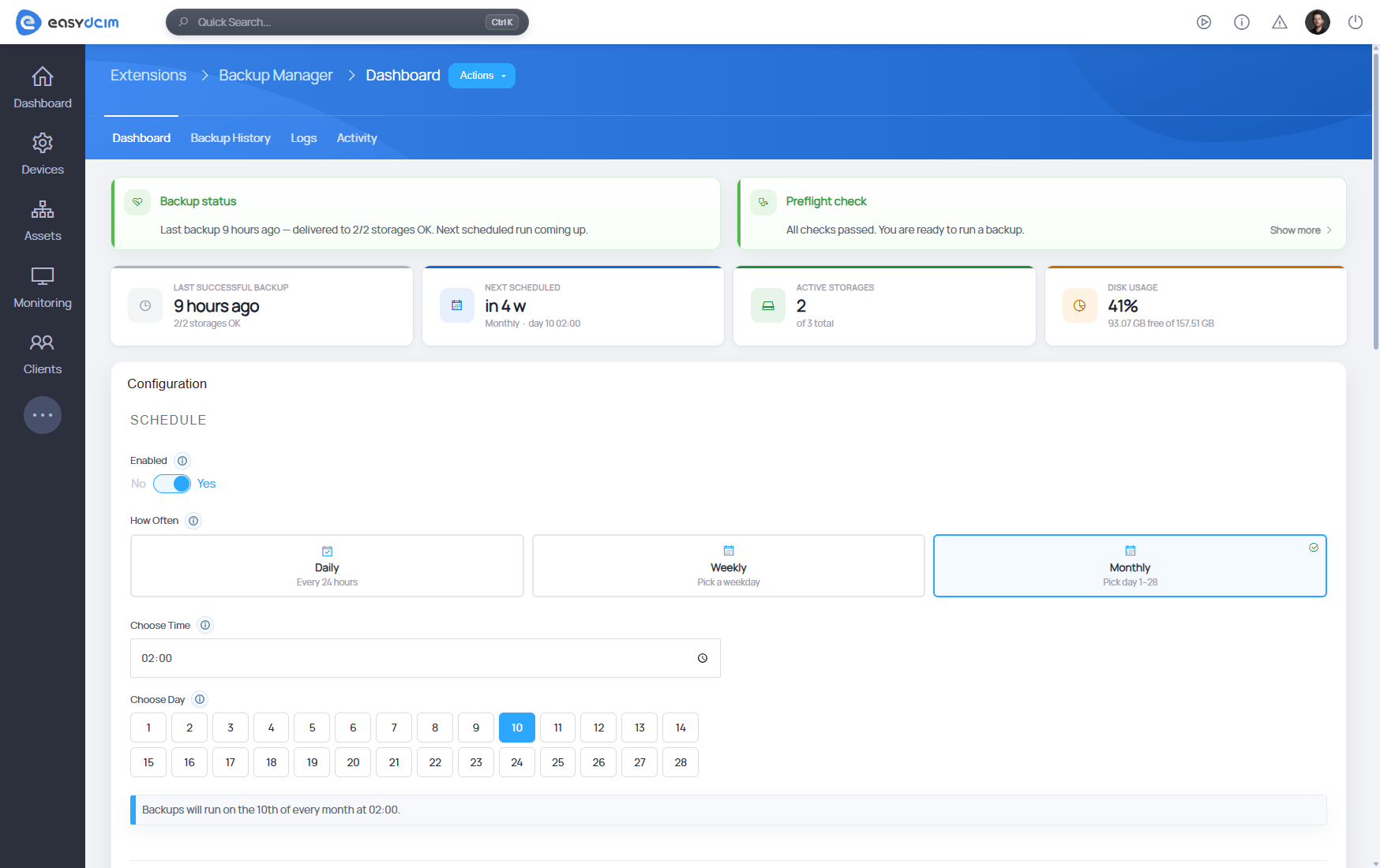
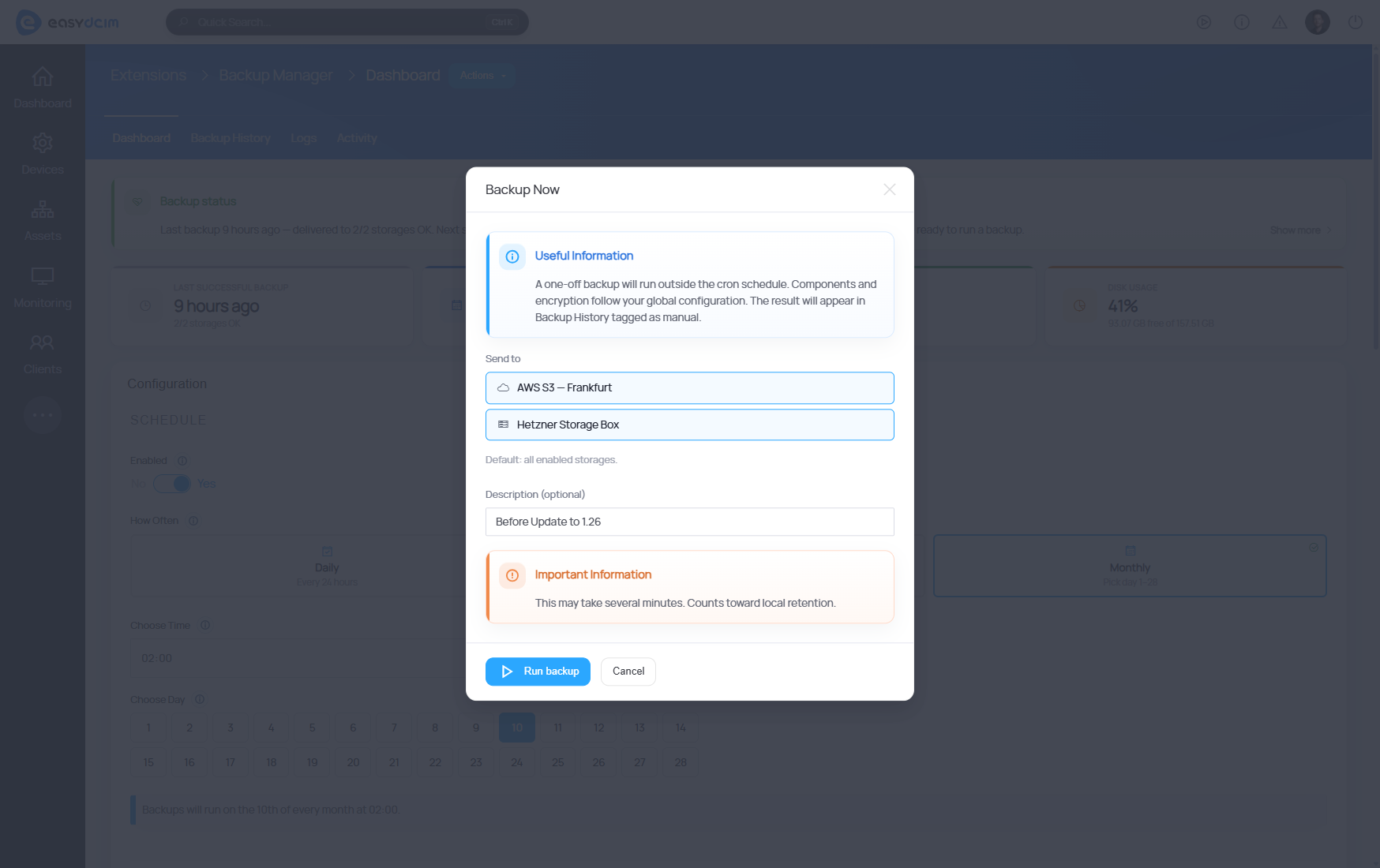
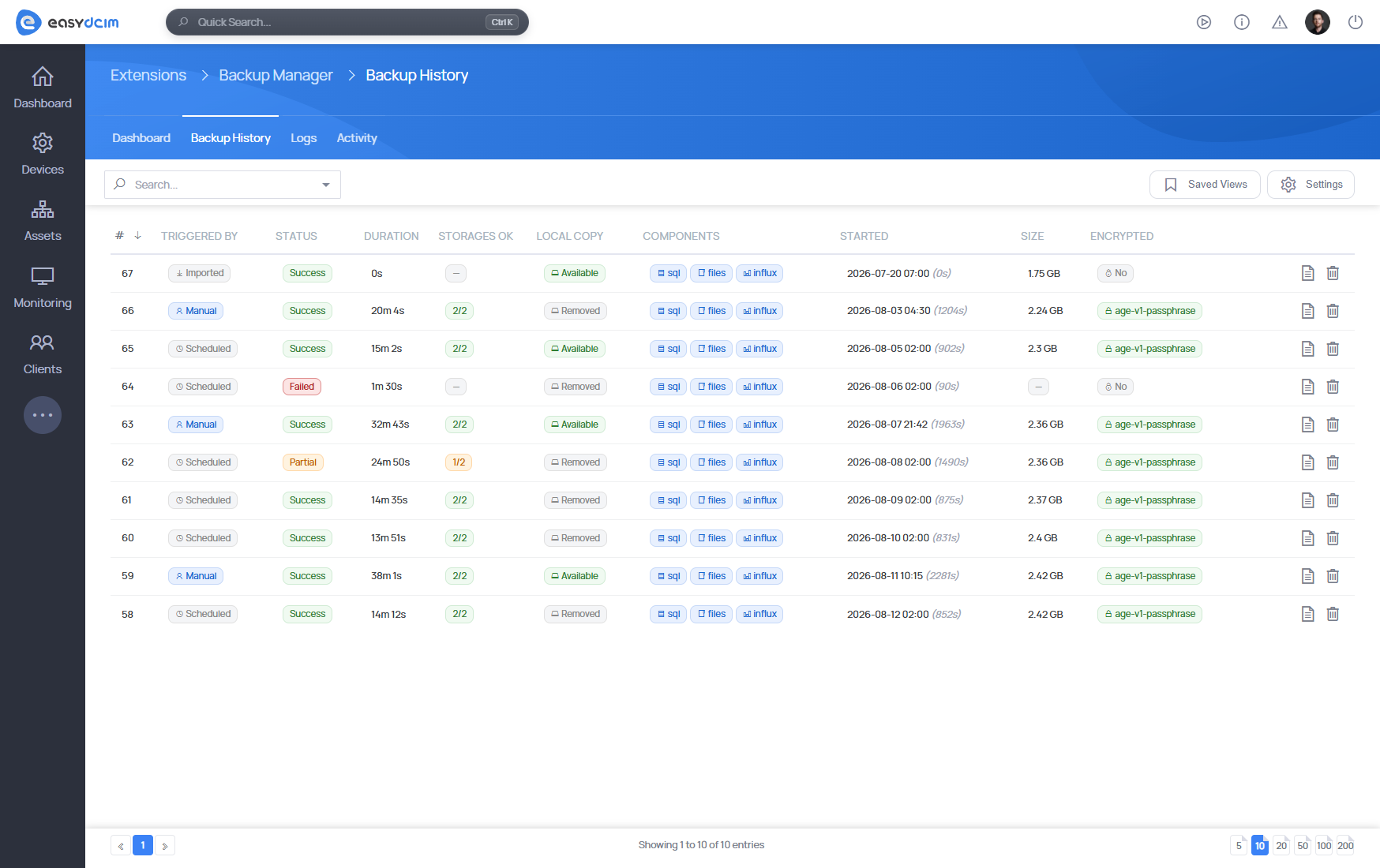
Backup Manager For EasyDCIM automates the complete application backup lifecycle. Schedule backups or run them on demand, select the SQL database, application files and InfluxDB data, and monitor every stage directly from the admin area.

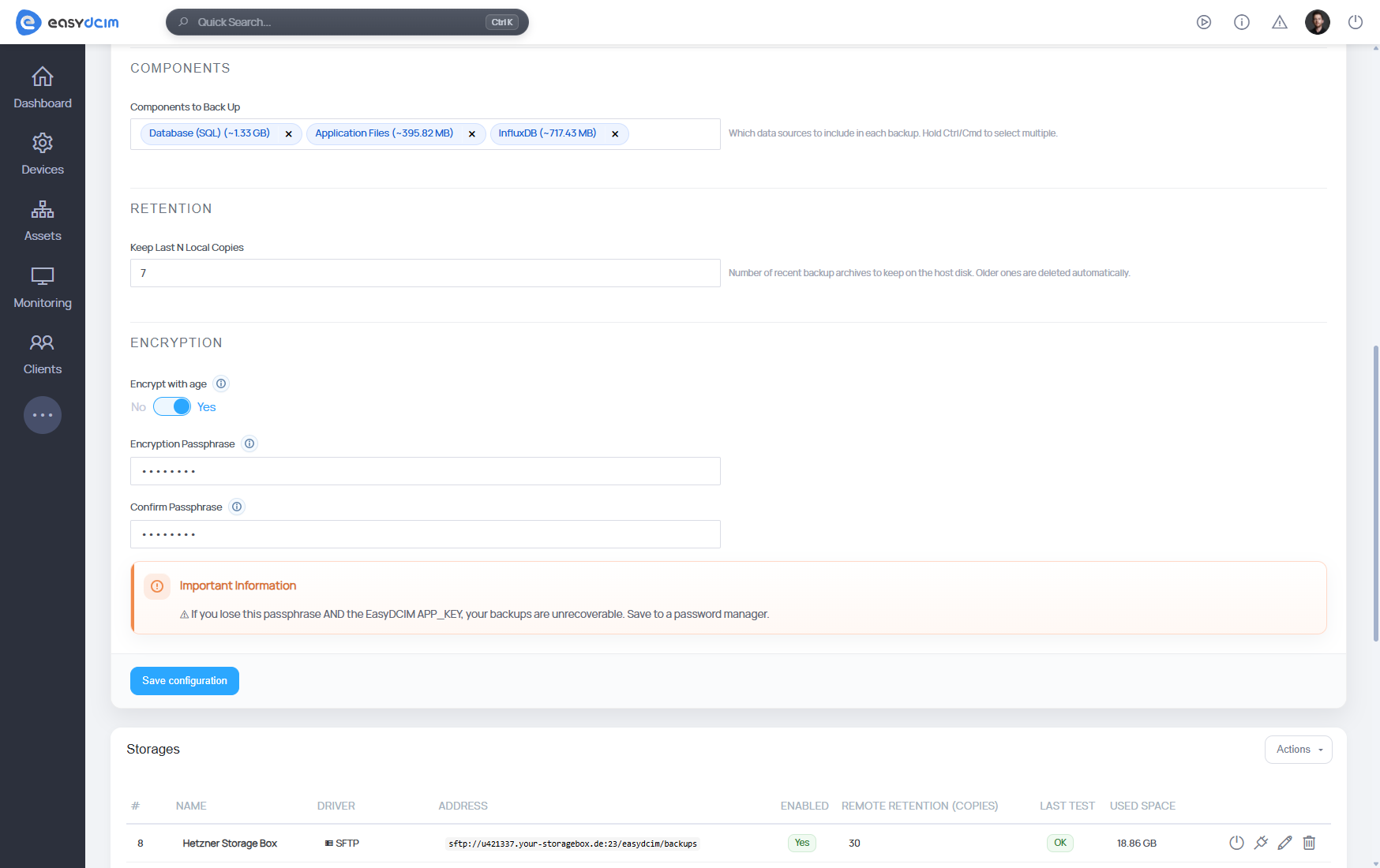
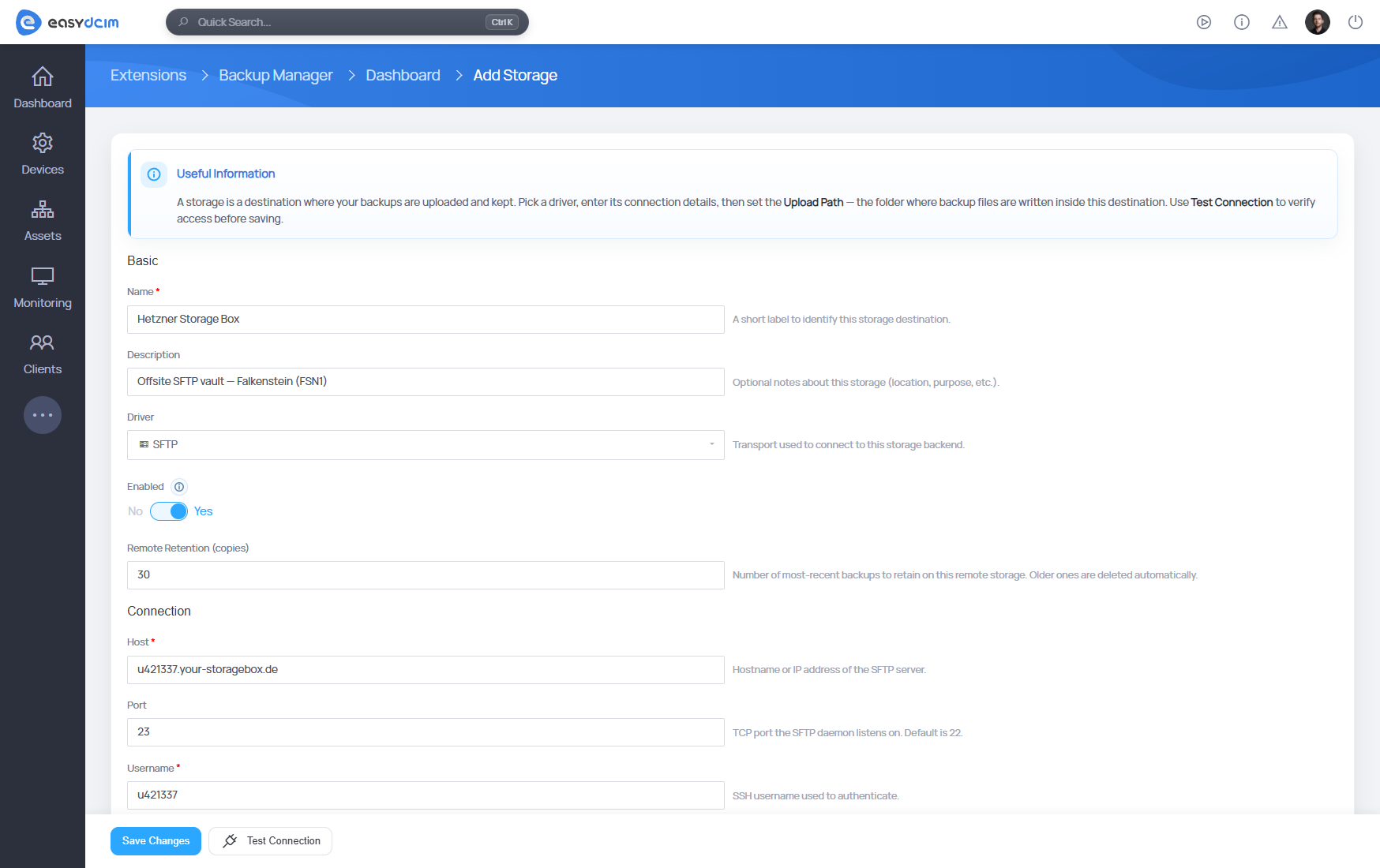
Protect backup copies with optional age encryption and replicate them to multiple SFTP or S3-compatible storage destinations. Independent local and remote retention policies keep storage usage under control, while health checks, detailed history and file checksums make backup status easy to verify.

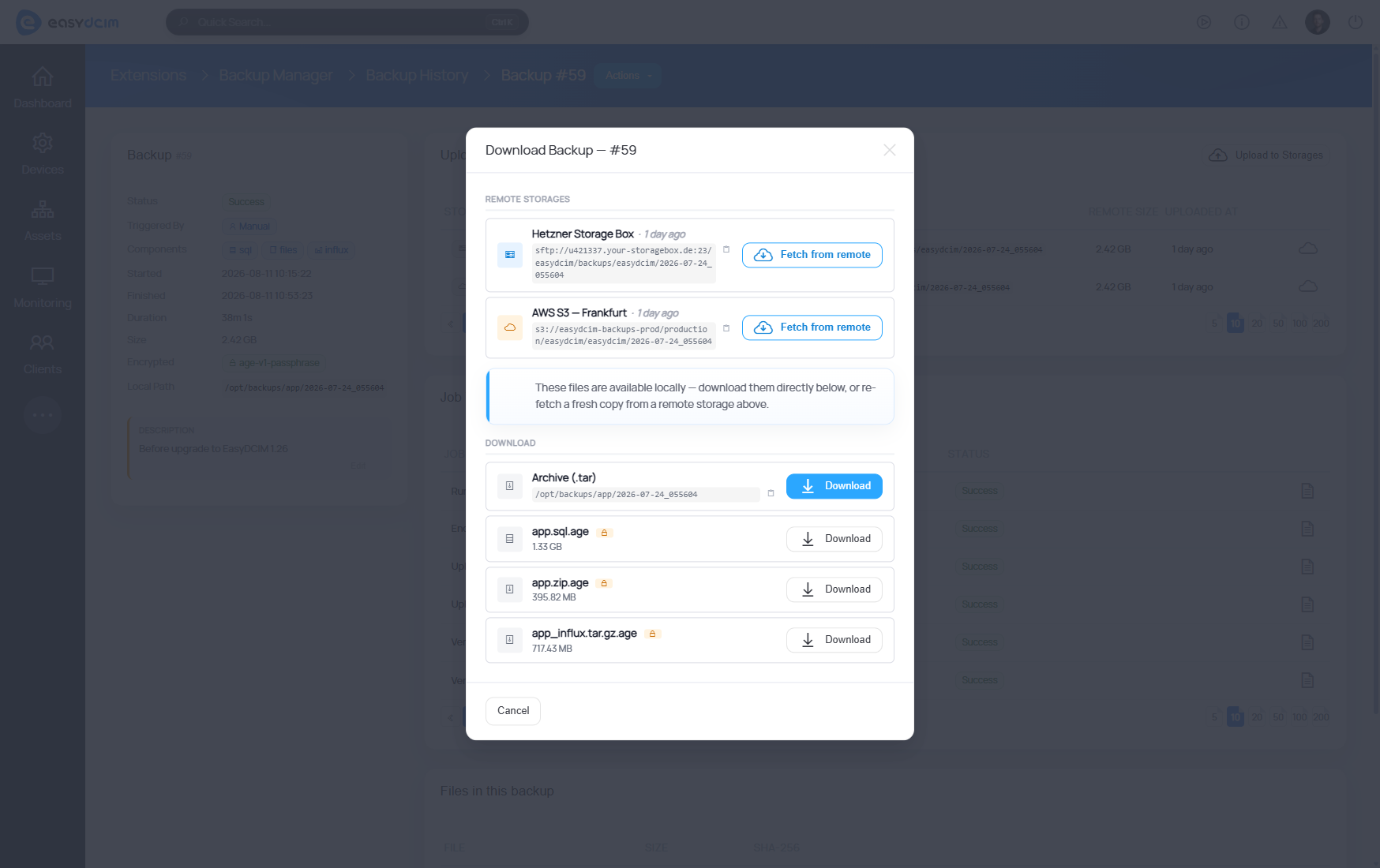
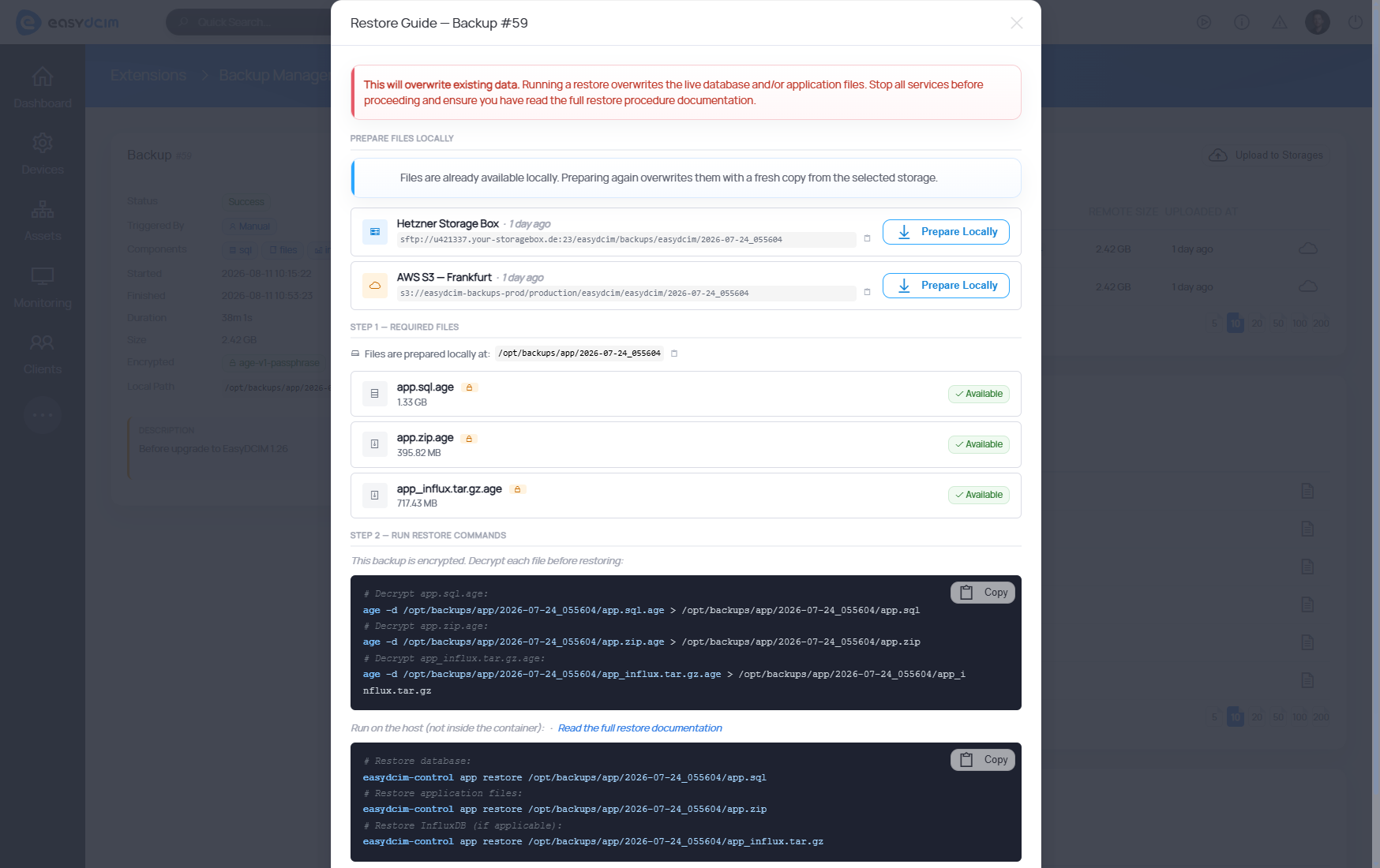
When recovery is required, download a complete archive or individual files, fetch remote copies back to the host and use the guided workflow to generate copy-ready decryption and restore commands.

Features

  • Schedule Automatic Backups Daily, Weekly, Or Monthly
  • Run On-Demand Backups With Live Progress
  • Select Backup Components:
    • SQL Database
    • Application Files
    • InfluxDB Data
  • Replicate Backups To Multiple Remote Destinations:
    • SFTP Storage
    • Amazon S3 And S3-Compatible Object Storage
  • Encrypt Backup Files With age Before Remote Upload
  • Configure Independent Local And Per-Storage Retention Policies
  • Monitor Backup Health, Progress, History, Uploads, And File Checksums
  • Retry Failed Uploads And Send Existing Backups To Additional Storages
  • Download Complete Backup Archives Or Individual Files
  • Fetch Remote Copies Back To The EasyDCIM Host
  • Prepare Copy-Ready Decryption And Restore Commands
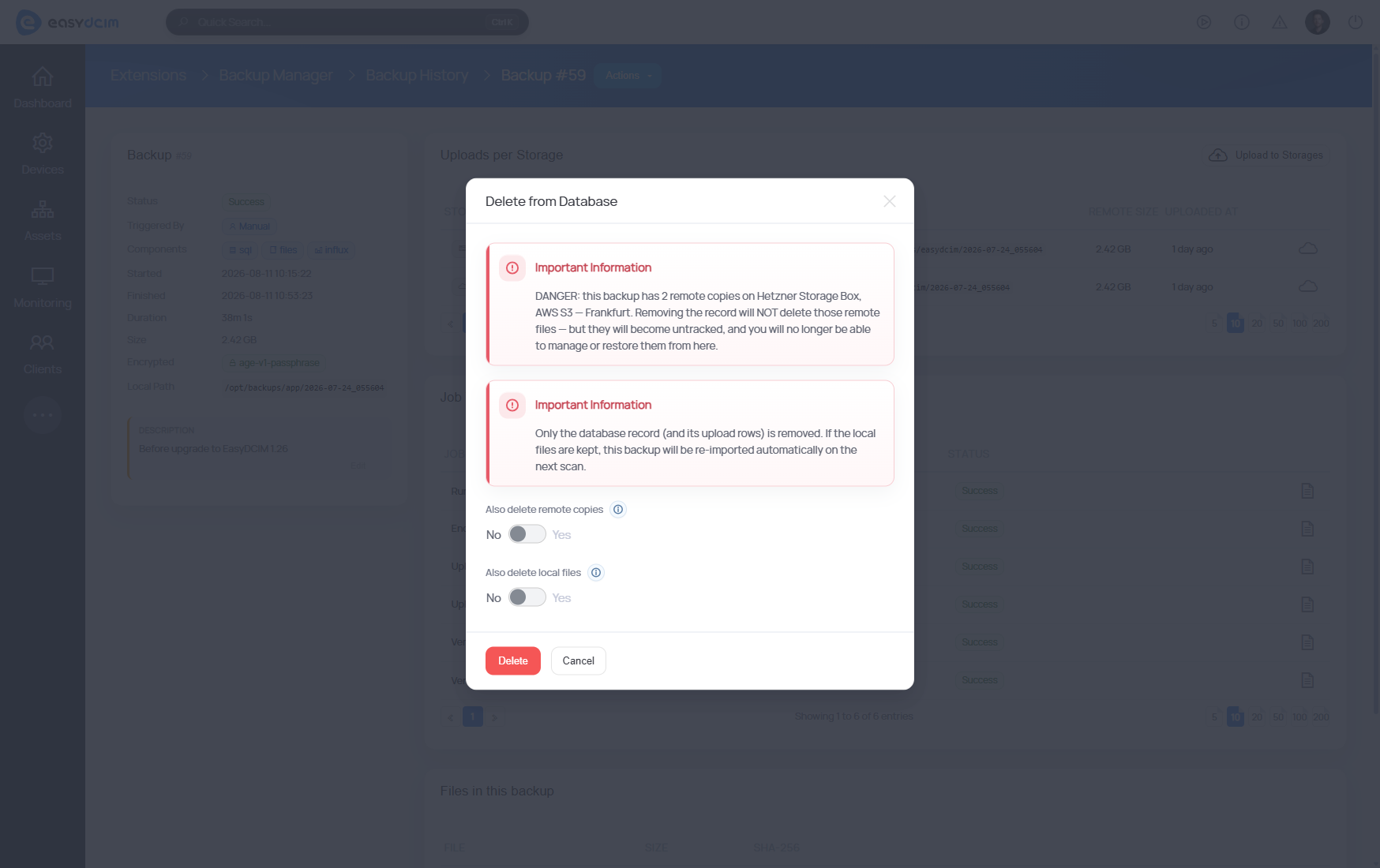
  • Granular Backup Deletion For Local Files, Remote Copies, All Copies, Or Database Records
  • Run Pre-Flight Readiness And Disk Capacity Checks
  • Discover And Import Existing Backups From Disk

Changelog

Jul 8, 2026
Version 1.0.0
New Features:
  • [Backup Lifecycle Management] - Introduced a graphical interface for scheduling, running, monitoring, downloading, and preparing EasyDCIM application backups for restoration
  • [Backup Components] - Added configurable backups of the SQL database, application files, and InfluxDB data
  • [Remote Storage] - Added replication to multiple SFTP and S3-compatible storage destinations with independent retention policies
  • [Encryption] - Added optional age encryption before backup files are uploaded to remote storage
  • [Backup Monitoring] - Added live progress, backup history, health and pre-flight checks, upload tracking, file manifests, and SHA-256 checksums
  • [Restore Guide] - Added a guided workflow for preparing backup files and generating copy-ready decryption and restore commands

LOOKS PROMISING?

Time to get the ball rolling!

Give EasyDCIM a try with our 30-day money-back guarantee
Shape Left
Shape Right